
How to Scan a Large Painting
Artists working at scale face a problem smaller-format painters rarely encounter: most scanning services can't help them, and photography won't deliver the quality or resolution to reproduce the work true to scale. A standard flatbed scanner maxes out at roughly 11 × 17 inches. Many reputable print studios own larger flatbeds that handle up to 18 × 25 inches. For a 40 × 60 inch oil painting, a 30 × 40 inch mixed-media work, or a full-sheet watercolor, none of these options exist. The usual answer — photograph it — rarely produces a result accurate enough for reproduction or archival use.
Professional large-format scanning exists, and it's more capable than most artists realize. This article explains how it works, what's involved in scanning a large painting, how to prepare your work, and what to expect from the process and the files.
Quick Answer
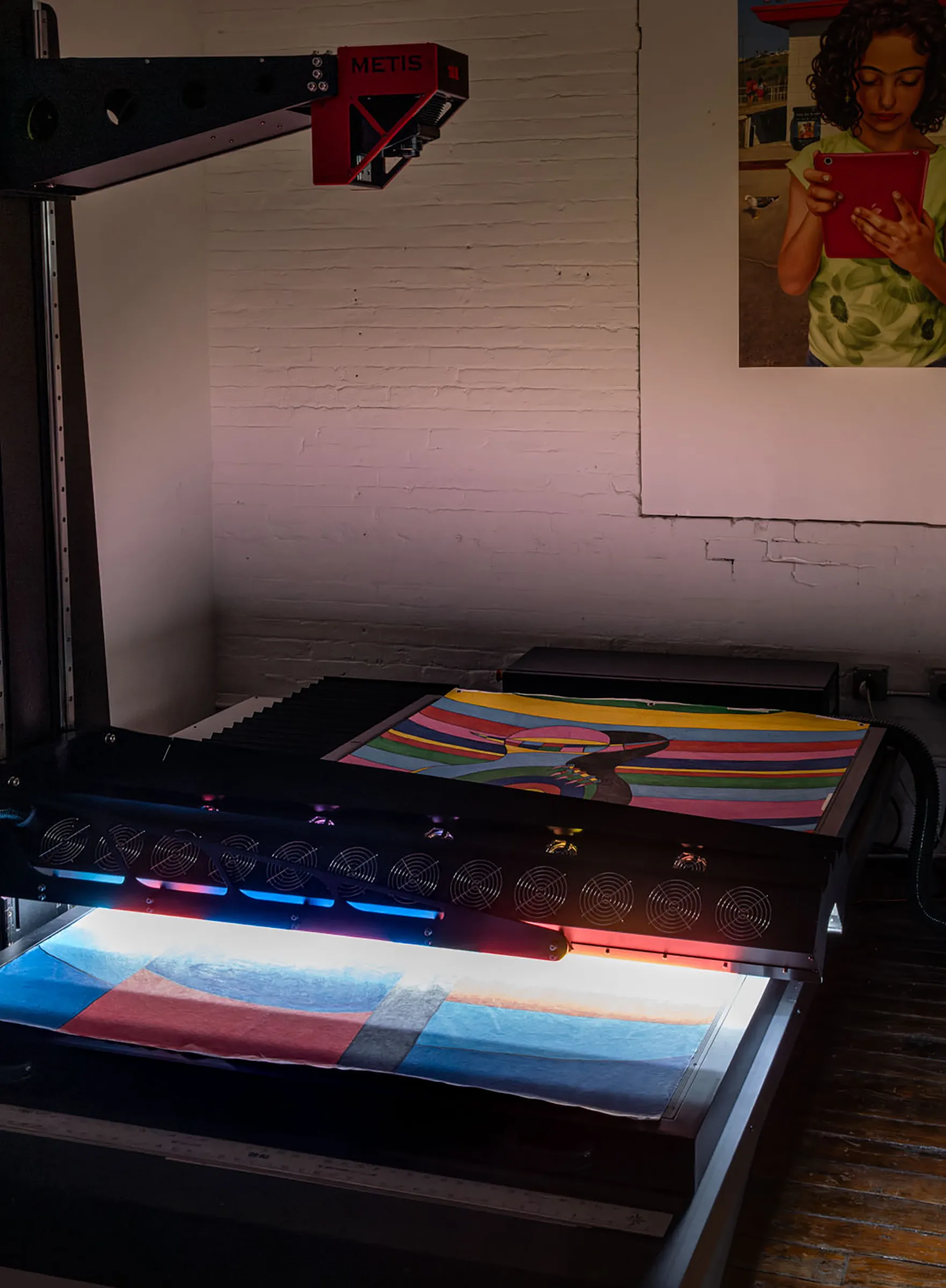
Large paintings can be scanned professionally using large-format artwork scanning systems such as a Metis scanner, which captures works up to 79 × 47 inches in a single pass. Works larger than this can be captured across multiple passes and automatically merged into a single seamless file. The result is a high-resolution, color-accurate master file suitable for edition printing, archival documentation, or publication — at any scale.
What ‘Large’ Means in Scanning Terms
The word ‘large’ is relative in the context of scanning, and understanding where the thresholds fall helps artists know what type of service they need.
The Flatbed Ceiling
Standard office and home flatbed scanners — the kind most people have encountered — scan a surface area roughly equivalent to a sheet of paper: 8.5 × 11 or 8.5 × 14 inches. Professional flatbed scanners used by print studios extend this somewhat, typically to 12 × 17 or 18 × 25 inches. For artwork within these dimensions, a high-quality flatbed produces reasonable results, particularly for works on paper with minimal texture. Art with texture and dimension becomes more challenging, or even impossible, for these scanners to capture.
Artwork that exceeds these dimensions is where the challenge begins. A 20 × 24 or 30 × 40 inch painting is already beyond the reach of most studio flatbeds. An artist with work at this scale is typically told either that the work can't be scanned, that it will be photographed instead, or that it will be scanned in sections and stitched together manually — a process that can produce inconsistencies not appropriate for fine art reproduction.
True Large-Format Scanning
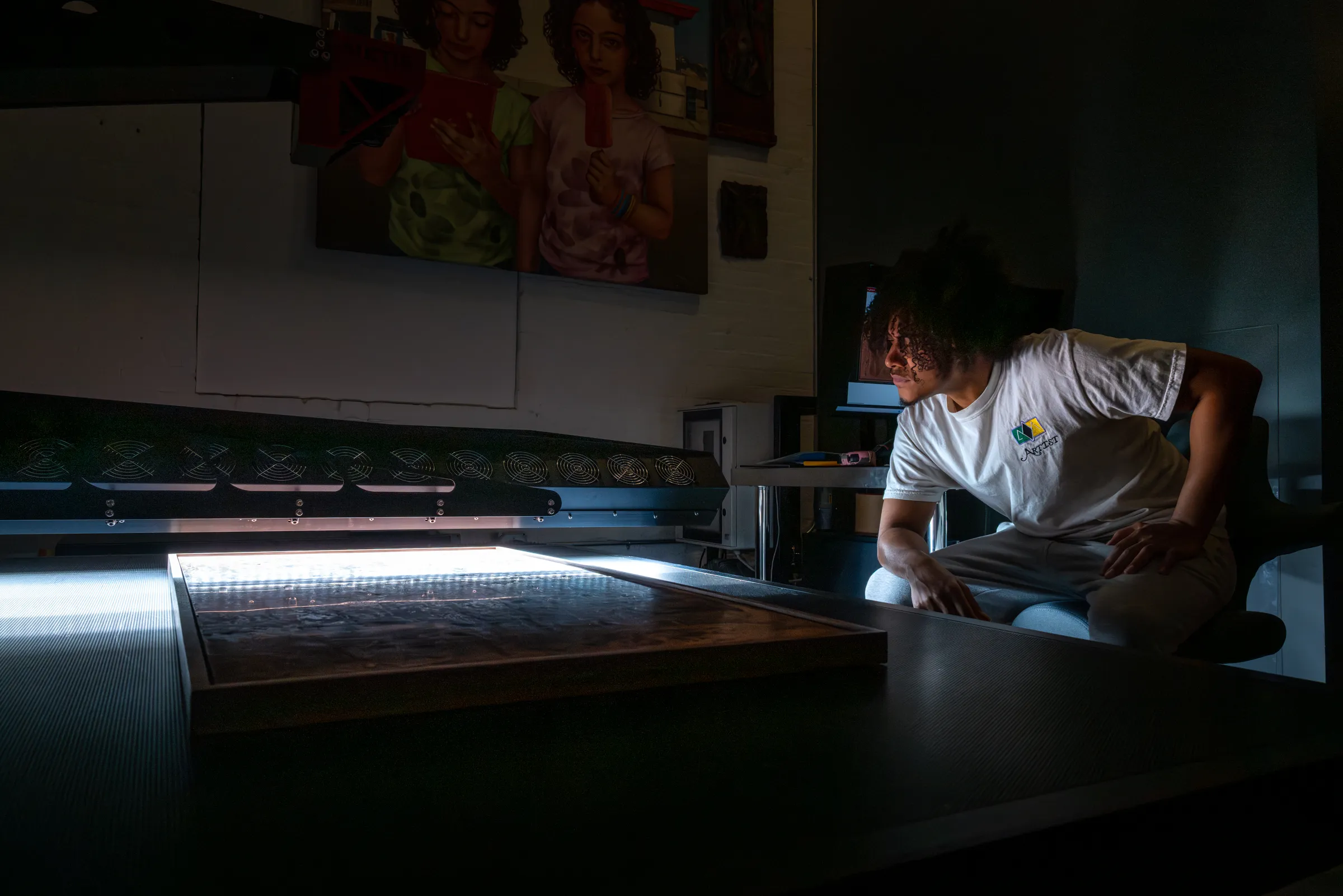
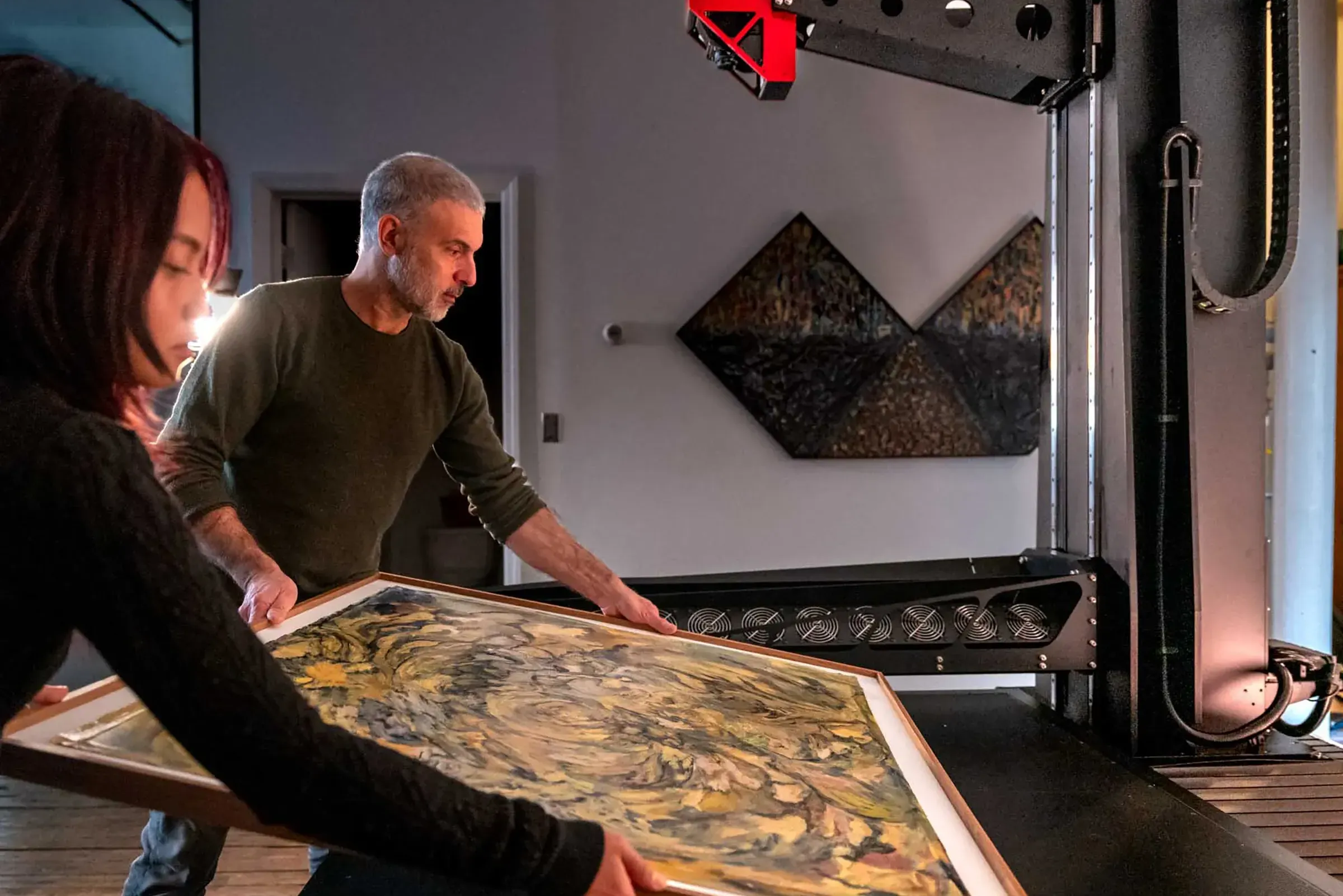
Professional large-format artwork scanning systems — the Metis and Cruse scanner families that define the upper tier of the field — operate at a completely different scale. The Metis DRS 2020 used at Brooklyn Editions has a scan bed capable of capturing artwork up to approximately 79 × 47 inches in a single contactless pass. This covers the majority of large studio paintings, full-sheet works, large-format photographs, oversized drawings, and most tapestries and textiles.
For artists whose work exceeds even this footprint — mural-scale canvases, panoramic works, very large installation pieces — multi-pass stitching extends the capability further, to effectively unlimited dimensions. The distinction between single-pass and stitched scanning, and when each is appropriate, is covered in the next section. The capabilities of this instrument are detailed in our guide to the Metis DRS 2020.
Scanning Thresholds at a Glance
- Up to ~18 × 25 in — single-pass possible on a professional flatbed scanner.
- 18 × 25 to ~47 × 79 in — single-pass possible on a large-format Metis or Cruse system.
- Larger than ~47 × 79 in — multi-pass, with automatic stitching across passes.
- Mural or unlimited scale — multi-pass stitching, any dimension.
Single-Pass Scanning vs. Multi-Pass Stitching
Understanding how large-format scanning systems handle very large works helps set appropriate expectations for the process and the result.
Single-Pass Capture
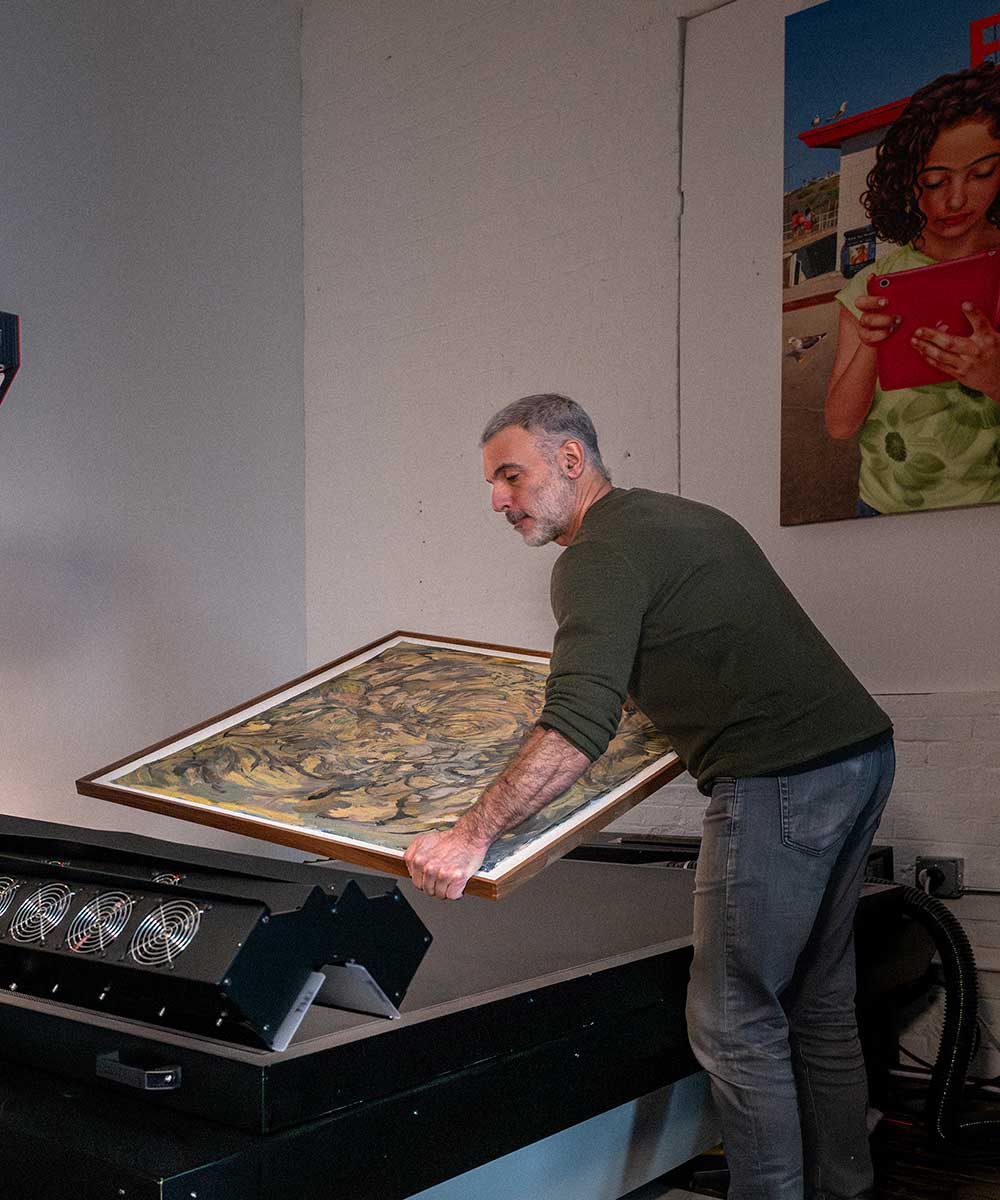
When a painting fits within the scan bed, it is captured in a single uninterrupted pass. The scanner's linear sensor traverses the full length of the artwork from one end to the other, building the digital file line by line. Every part of the painting is captured by the same sensor, under the same lighting conditions, in a single continuous operation. The result is a seamless, geometrically accurate file with perfectly consistent color, tone, and lighting across the full surface.
Single-pass capture is the preferred approach whenever the artwork's dimensions allow it. It is faster, involves no processing after capture, and produces the simplest workflow from scan to delivered file. For paintings up to approximately 47 × 79 inches, single-pass capture on a professional large-format scanner is straightforward.
Multi-Pass Stitching
For paintings that exceed the single-pass bed size, the scanner captures the work in a series of overlapping passes — typically moving in one direction and capturing the full width of the scanner bed each time, advancing along the length of the painting until the entire surface has been covered. The Scan Merge system used by Metis instruments then assembles these passes into a single seamless file automatically, aligning adjacent captures with sub-pixel registration accuracy.
Because all passes are made by the same sensor under the same lighting conditions — with no change in the scanner's setup between passes — the stitched file is visually indistinguishable from a single-pass capture. There are no visible seams, no tonal differences between passes, no resolution degradation at the join points. The assembled file behaves in every respect like a single unified capture of the complete painting.
This is a critical distinction from manual stitching — the approach sometimes used when artwork is photographed in sections or scanned on consumer equipment. Manual stitching relies on software to align independent captures made with different exposures, lighting conditions, and lens positions. The result is rarely seamless and often shows visible inconsistencies at the joins, particularly on areas of even color or graduated tone.
How Large Can You Go?
In practical terms, multi-pass stitching has no upper limit for length — a panoramic painting 6 feet wide and 20 feet long can be captured across as many passes as required and assembled into a single file. Width is constrained by the scan bed: the painting must fit within the bed's width dimension in order to be captured without rotating. For very wide works — paintings wider than the bed's long dimension — the approach requires discussion with the studio in advance to plan the capture sequence.
Why Large Paintings Are Harder to Scan Than Small Ones
Scale introduces challenges beyond simply needing a bigger bed. Understanding these helps artists have informed conversations with their scanning studio before bringing the work in.
Lighting Consistency Across a Large Surface
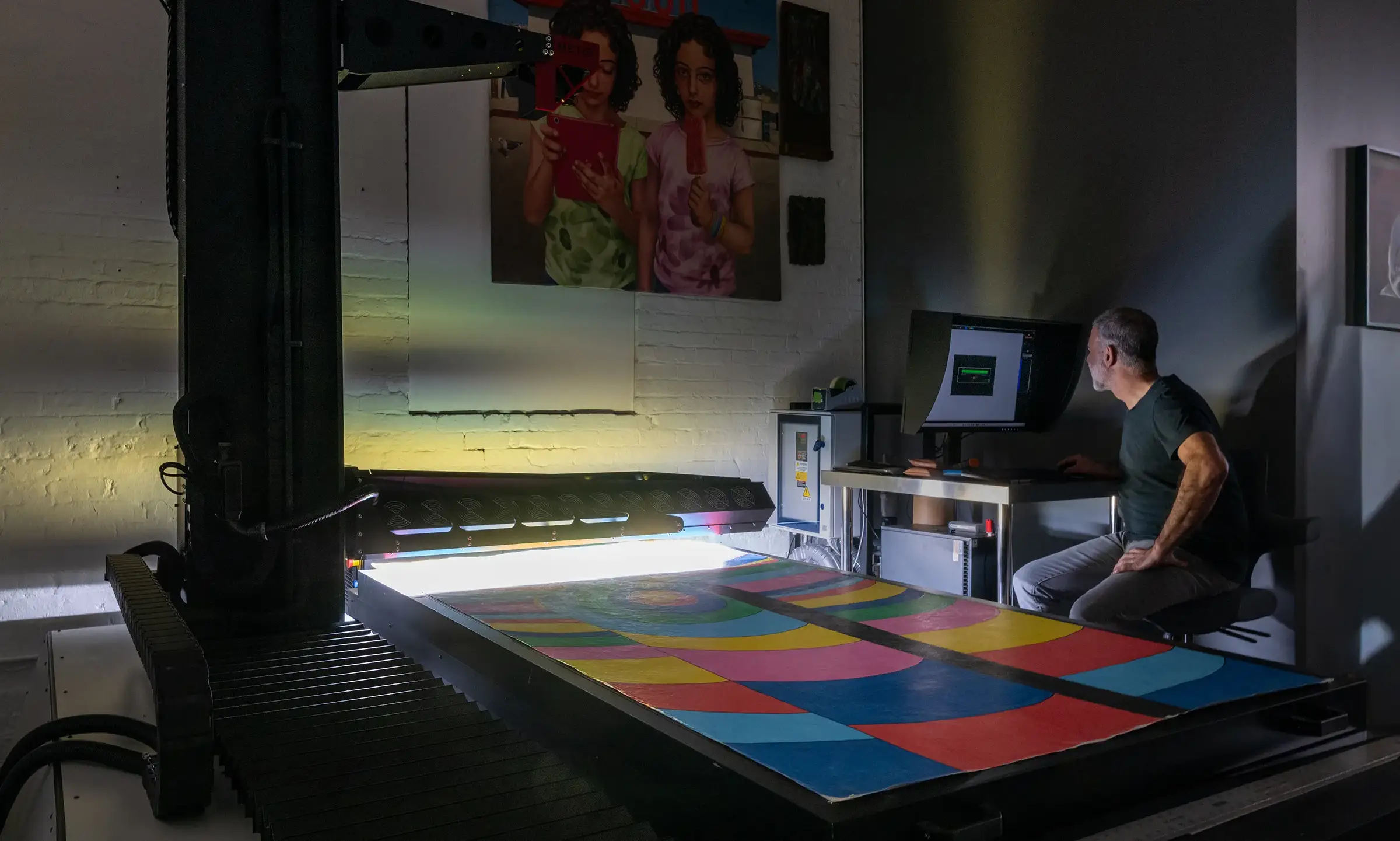
For a small painting, a single fixed light source can illuminate the entire surface with reasonable consistency. For a large canvas, the geometry of a fixed light source means areas closer to the light receive more intensity than areas further away — a gradient of illumination that becomes increasingly visible as the work gets larger. In a photograph of a large painting, this often appears as one side being slightly brighter than the other, or the center reading differently from the edges.
Professional scanning systems address this by moving the light source in registration with the sensor as it traverses the artwork. Every point on the painting receives light from the same angle and at the same intensity, regardless of where it falls on the canvas. This is one of the core advantages of a scanning system over camera-based capture for large work — the lighting geometry is consistent across the full surface by design.
File Size at Scale
A large painting scanned at high resolution produces a very large file. A 40 × 60 inch canvas scanned at 1200 PPI yields a file 48,000 × 72,000 pixels — almost 4 gigabytes uncompressed as a 24-bit TIFF, and closer to 8 gigabytes at 48-bit. Managing, storing, transferring, and working with files at this scale requires professional hardware, storage infrastructure, and software. This is not a concern the artist needs to solve — it's the studio's responsibility.
Handling and Transport
Physically moving a large painting to a scanning studio requires planning. Stretched canvases on wooden stretchers are relatively robust but can be damaged by pressure on the canvas surface or careless handling at the edges. Unstretched canvases, large works on paper, and works on non-standard supports require more careful handling. For very large or valuable works, professional art handling may be appropriate.
Framing is also a practical consideration. Most scanning is done with the artwork unframed, since frames prevent the work from lying flat and can obstruct the scan. However, professional large-format scanning systems can scan framed work through glass in many cases — removing this limitation entirely for works where deframing is impractical or risky.
Surface Variation at Scale
Large paintings are more likely to have surface variation — areas of different texture, impasto passages alongside smoother areas, sections that have been varnished and sections that haven't. Optimizing the scanning setup for one area of the painting may not produce optimal results in another. Professional scanning operators address this by selecting lighting configurations that work well across the full surface, or by using SuperScan capture modes that record multiple lighting conditions simultaneously and allow adjustments to be made area by area after the scan. If you've relied on photographs and suspect the results aren't accurate, our guide on why photos of paintings look wrong explains what professional scanning does differently.
How to Prepare a Large Painting for Scanning
Preparation for a large painting scan follows the same principles as any professional scanning project, with a few considerations specific to scale. Getting this right before the appointment saves time and avoids problems on the day. For the full preparation routine, see our guide on how to prepare artwork for scanning.
Confirm Dimensions in Advance
Before booking, measure the painting accurately and provide the dimensions to the studio. This determines whether single-pass capture is possible, how many passes will be required if stitching is needed, and the likely file size and turnaround time. For works close to the single-pass bed limit, a small difference in dimension can determine whether the painting fits in one pass or two.
Deframing
For most large paintings, deframing is recommended before the scan appointment. A stretcher bar or frame adds depth to the work, which affects how it lies on the scan surface and may prevent it from fitting within the scanner's depth of field at full format. If the painting is on a stretcher, bring it unframed. If the work is framed and deframing is not practical — a work that is fragile, mounted under glass, or where the frame is integral to the presentation — discuss this with the studio in advance. Many professional scanning systems can scan framed work through glass.
Surface Condition and Varnish
Large paintings are frequently varnished, and varnished surfaces require specific lighting management during scanning. This is handled by the studio, but it's useful to let them know in advance if the painting is freshly varnished, heavily varnished, or has areas of different varnish finish. If the work has raised impasto, fragile areas, lifting paint, or any condition issues, flag these before bringing the work in so the operator can plan the setup appropriately.
The painting should be dry and stable before scanning. For oil paintings, this means fully cured — not just touch-dry. If you have any uncertainty about whether the painting is fully dry, discuss this with the studio before the appointment.
Artwork Condition
Artwork should be as clean as possible, free of dirt, pet hair, and dust. The studio can carefully blow air across the work but won't touch it otherwise. The scans are so accurate that hair and dust will show up, so it's best to present the work as clean as possible and avoid additional retouching after the fact. Warped and heavily curved pieces may require additional scanning or handling to capture correctly. It's possible to work with these, but the ability to lie flat simplifies the process.
Handling and Delivery
Transport a large stretched canvas face-forward, supported at the sides rather than the face. Avoid stacking anything against the canvas surface. Protect the corners of the stretcher, which are the most common points of impact damage in transit. For very large works, a flat vehicle or van may be required — a canvas that can't lie flat during transport risks deformation.
For works on paper or unstretched canvas, roll carefully around a large-diameter tube (not a small tube, which can cause stress on the paint layer) or transport flat between glassine and rigid boards. Never fold. If shipping rather than delivering in person, contact the studio before sending — they can advise on appropriate packing and help coordinate receipt of the work. Professional art handlers can provide crating, climate-controlled transport, and condition reports for high-value or fragile works.
Checklist Before Your Appointment
- Measure and confirm dimensions with the studio.
- Deframe if practical — notify the studio if a framed scan is needed.
- Confirm the painting is fully dry and stable.
- Clean the work of dust, dirt, and hair.
- Note any condition issues: lifting paint, fragile passages, active deterioration.
- Note surface characteristics: varnish, impasto, metallic pigments, mixed-media elements.
- Confirm your intended use for the file — reproduction, archival, edition production.
- Arrange appropriate transport for the scale of the work.
What to Expect During the Scan
The scanning process for a large painting is unhurried and methodical. Understanding what happens at each stage helps artists feel confident about leaving a significant original work in the studio's care.
Setup and Lighting Configuration
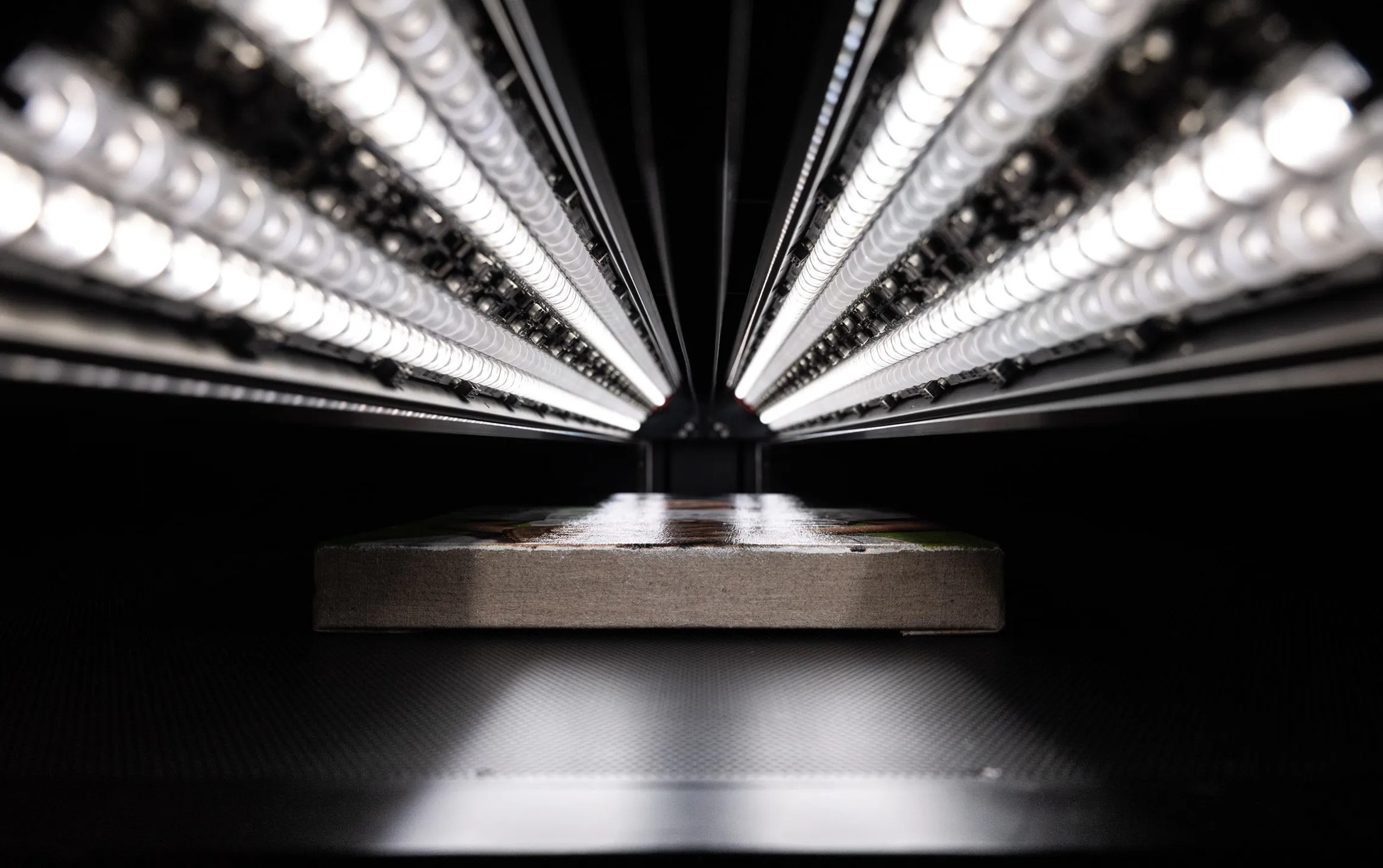
Before scanning begins, the operator reviews the painting's surface and selects an appropriate lighting configuration. For a large painting with varied surface character — smooth passages alongside textured ones, areas of varnish alongside unvarnished sections — this selection balances glare control, texture revelation, and overall lighting uniformity. On systems with SuperScan capability, multiple lighting configurations are recorded simultaneously, allowing the balance to be refined after capture rather than committed to in advance.
For multi-pass work, the painting is positioned on the scan bed and the capture sequence is planned before any scanning begins — ensuring the passes will overlap correctly and that the stitching software will have sufficient reference data to align them precisely.
The Scan
The scan itself is quiet and completely contactless. The scanner's sensor and light source traverse the painting's surface at a consistent, measured speed. For a large single-pass capture, this may take several minutes. For a multi-pass stitch of a very large work, the operator scans each section in sequence, reviewing each pass before proceeding to ensure the capture is correct before moving on.
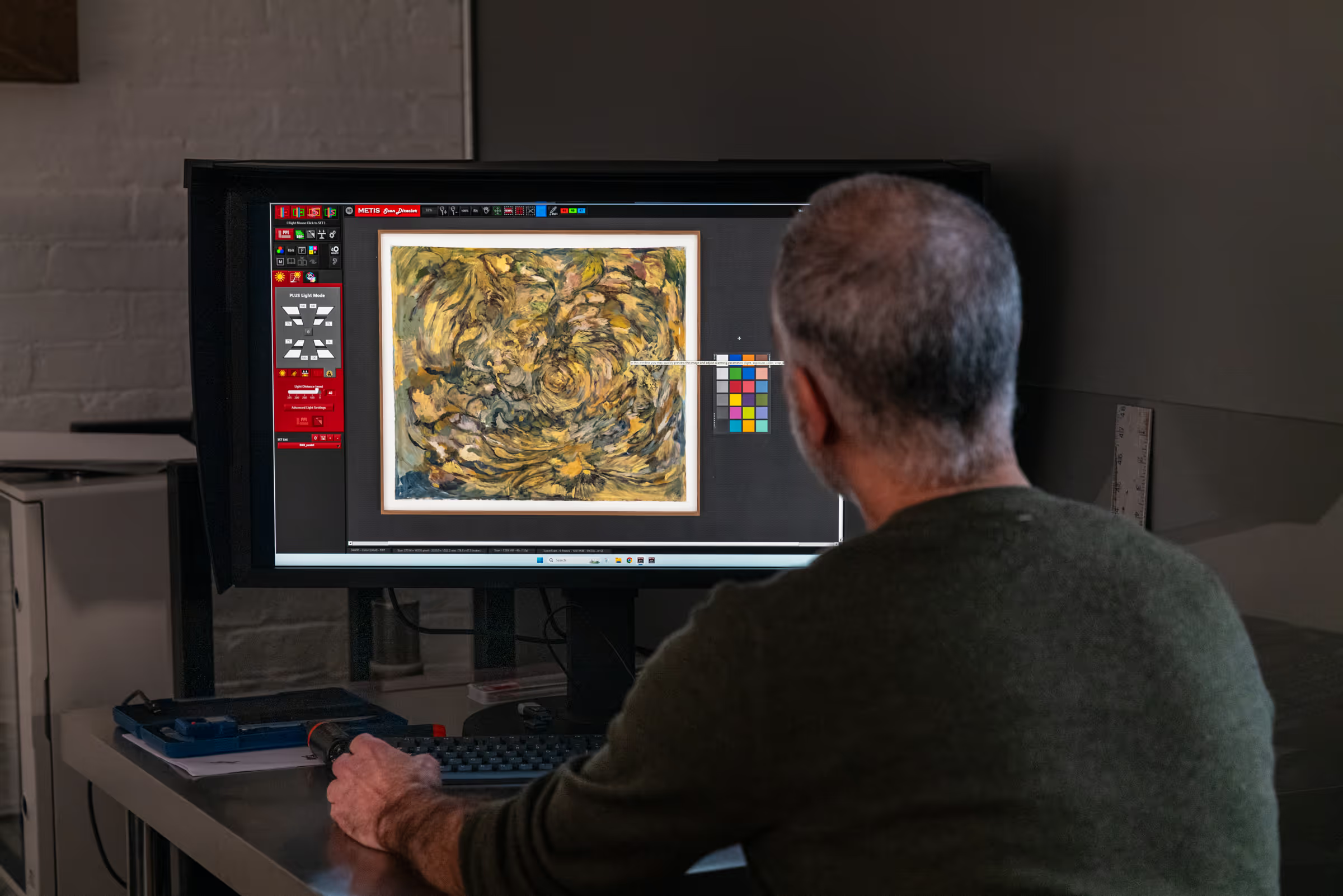
Color targets — reference patches of known color values — can be scanned alongside the painting to provide an objective calibration reference. These are useful for institutional and archival projects where documented color accuracy is a requirement.
File Processing and Review
After capture, the file is processed — stitched if necessary, cleaned of dust and artifacts, and color-corrected against the original under calibrated viewing conditions. For large works, this step can take as long as the scan itself. The original painting should remain at the studio during this stage so that the digital file can be compared to it directly.
You'll receive a preview file for review and approval before the full-resolution master is delivered. For large paintings, this preview is typically a reduced-size JPEG or TIFF that gives you a clear sense of the color, tone, and overall quality of the capture before committing to the final delivery.
The File You Receive
A professionally scanned large painting produces a master file that is often significantly larger — both in pixel dimensions and file size — than most artists have worked with before. Understanding what this file is and what it can do helps artists make the most of it.
Size and Resolution
The pixel dimensions of the file are determined by the physical size of the painting and the scan resolution. A 40 × 60 inch painting scanned at 1200 PPI produces a file 48,000 × 72,000 pixels. At 600 PPI, the same painting produces a file 24,000 × 36,000 pixels. Both are large by any standard — the 1200 PPI version runs to approximately 10 gigabytes uncompressed.
These dimensions translate directly to print potential. The 48,000 × 72,000 pixel file at 1200 PPI can be reproduced at 300 PPI at 160 × 240 inches — four times the original size — with no quality loss. For edition production where the artist wants to offer large-format prints significantly beyond the original's dimensions, a 1200 PPI master scan provides that flexibility without any loss of detail. For more on matching resolution to intended use, see what resolution artwork should be scanned at.
Format and Delivery
Standard delivery is a full-resolution TIFF file in a wide-gamut RGB color space at 48-bit depth (16 bits per channel). For very large files — those exceeding 4 gigabytes — a Photoshop PSB (Large Document Format) file may be used instead, since standard TIFF has a 4GB limit. Both formats are lossless and preserve all captured data. Files of this size are typically delivered on a physical drive rather than via download link. Confirm the delivery method with your studio at the start of the project so you have the right storage available to receive the file.
What the File Supports
- Edition printing at any size — the master file supports print runs at original scale, enlarged, and at any size within the file's resolution ceiling.
- Archival documentation — a complete, high-resolution record of the painting at a specific point in time, suitable for insurance, estate, and institutional purposes.
- Publication and editorial use — full-resolution files for books, catalogues, and press, with derivatives prepared for specific publication requirements.
- Detail reproduction — cropping into specific areas of the painting at high resolution for close-up editorial, conservation, or scholarly use.
- Future use — a master file that remains valid for any purpose that arises — a new edition format, an exhibition request, a publication opportunity — without needing to rescan the original.
Frequently Asked Questions
What is the largest painting that can be scanned?
In a single pass, the Metis DRS 2020 at Brooklyn Editions can capture artwork up to 47 × 79 inches. For larger works, our Scan Merge system stitches multiple passes into a single seamless file. In practice, there is no meaningful upper limit — we have scanned mural-scale paintings and panoramic works well beyond the single-pass bed size, including drawings 30 feet long.
Can you scan a painting without removing it from the stretcher?
Yes. A stretched canvas on its stretcher bars can be scanned directly. Most floating frames don't interfere either, but it's best to discuss this in advance. When possible we recommend unframing the work — removing it from any outer frame — but the canvas can remain on its stretcher. If the canvas is in a frame, we can often scan through the glass depending on the frame and glass type.
Can you scan a painting that is framed?
Yes. The Metis lighting control allows us to scan through the glass without reflection or loss of detail. Framed pieces may have some limitations for lighting, depending on the depth of the frame and the proximity of the work to the edges.
Can you scan a painting that is still wet or recently varnished?
Technically yes, since the scanner is contact-free, but due to the challenges of handling and storing wet artwork this is not advised and is subject to significant handling charges. The painting should be fully dry and stable before scanning. Oil paintings should be fully cured — not just touch-dry — before a scan appointment. Freshly varnished work should be given adequate curing time as well. If you're unsure whether your painting is ready, contact us before booking and we'll advise.
Do I need to bring the painting in person, or can I ship it?
Both are possible. Many clients bring large paintings in person. For artists outside the New York area, we can arrange receipt of shipped artwork through professional art handlers, or with appropriate packing for smaller works. Contact us before shipping so we can coordinate receipt, confirm packing requirements, and track the work when it arrives.
How long does it take to scan a large painting?
The scan itself — depending on the size of the painting and whether multi-pass stitching is required — typically takes between 30 minutes and a few hours. File processing, color correction, and preparation for delivery add additional time. Most projects are completed and ready for review within 1 to 3 business days. Rush service is available for time-sensitive projects.
Will the scan show every brushstroke and surface detail?
Yes — in most cases, significantly more detail than a photograph would capture. The Metis DRS 2020's DC Synchrolight lighting system is specifically designed to render surface texture and dimensionality: brushstrokes, impasto passages, canvas grain, and material variation all appear in the scan with the kind of presence they have in person. This is one of the capabilities that most clearly separates professional scanning from camera-based photography for painters who work with texture.
What if my painting has reflective varnish or metallic pigments?
Reflective surfaces are among the most common challenges in artwork digitization, and the lighting system on the Metis DRS 2020 is specifically designed to manage them. By controlling the angle and intensity of each light source, we can prevent specular reflections from obscuring color and detail in varnished or metallic areas. The Metis scanner can also recognize glossy and metallic qualities, so that data can be saved as a unique file or incorporated as a mask in editing to select those specific areas. Let us know about any reflective elements in the painting during consultation so we can plan the setup accordingly.
How much does it cost to scan a large painting?
Scanning rates are based on the physical dimensions of the artwork and the resolution required. Every project receives an individual quote after consultation. Contact us with your painting's dimensions and intended use for the file, and we'll provide an estimate before any work begins.
Large-Format Scanning at Brooklyn Editions
Brooklyn Editions provides professional large-format fine art scanning at our Park Slope studio in Brooklyn, using the Metis DRS 2020 — one of the most capable artwork digitization systems in the New York region, with a single-pass scan bed accommodating paintings up to 47 × 79 inches and precise multi-pass stitching for larger works. Every large-format scanning project begins with a consultation to discuss the painting, its dimensions, surface condition, and the intended use of the files. We handle original artwork with the care of artists who understand what it represents. Start at our scanning services page, or read the full fine art scanning guide for the complete picture.
Professional Artwork Digitization at Brooklyn Editions
At Brooklyn Editions, artwork is digitized using the Metis DRS 2020 — a professional scanning system with a native optical resolution up to 1600 PPI and a scan bed capable of capturing large paintings in a single contactless pass. Every scan project begins with a consultation to discuss the artwork, its dimensions, and the intended use of the files, so that we can recommend the right resolution and workflow before any work begins.
If you're planning to reproduce artwork as prints, create an archival digital record, or produce an edition, our scanning services page has full details on the process, file delivery, and how to get started.