
Scanning vs. Photographing Artwork: Which Produces Better Results?
The question of whether to scan or photograph artwork for reproduction, archival documentation, or publication doesn't have a universal answer. Both approaches can produce excellent results in the right circumstances. Both can produce poor results when applied to the wrong subject or used without the right equipment and skill.
The artwork's characteristics, the intended use of the digital file, the scale of the work, and the quality of the equipment and operator involved all determine which approach is better. This is never a one-size-fits-all scenario. This article explains how the two methods differ fundamentally, where each genuinely excels, and how to decide which is right for your specific situation.
If you've already tried photographing your work and weren't satisfied with the result, a companion article — Why Photos of Paintings Look Wrong (and How Professionals Fix It) — explains the specific failure modes and what professional scanning does about each one. This article is for the earlier decision: which approach to take before you start.
Quick Answer
For flat artwork where accuracy, texture fidelity, and color precision are important — reproduction printing, archival documentation, edition production — professional scanning generally produces superior results. For three-dimensional work, very large installations, work that cannot be moved, or situations where speed and accessibility matter more than maximum precision, camera-based photography is often the right choice. Many artists use both: photography for day-to-day documentation and professional scanning for projects where the file needs to do serious work.
How Scanning and Photography Work Differently
Understanding the fundamental difference between the two approaches explains why each excels in the situations it does.
Camera-Based Photography — A Wide Spectrum of Equipment
When artwork is photographed, a camera captures the entire image simultaneously through a lens. Light reflected from the artwork passes through the lens and strikes an image sensor in a single exposure. The quality of the result depends on the camera's sensor, the lens, the lighting quality and angle, the alignment of camera to artwork, and the color management of the workflow. These are all variables that an experienced photographer can optimize given enough physical space to position everything properly. The ceiling of what's achievable rises significantly with better equipment and more skilled operators. It can also be quite challenging if one is lacking the equipment, space, or technical skill.
It's important to recognize that 'camera photography' describes an enormous range of capability. At one end, a smartphone captures artwork quickly and conveniently, but the small sensor, tiny lens, and aggressive in-camera processing produce files that are rarely adequate for anything beyond social media. A DSLR or mirrorless camera with a standard lens and two light stands represents a middle tier — adequate for many portfolio and documentation purposes, but not fully optimized for the precision that fine art reproduction demands. At the professional end, a medium-format camera — systems such as Phase One or Hasselblad with 100+ megapixel sensors and precision tilt-shift lenses — dramatically raises the quality ceiling, producing files with resolution, dynamic range, and excellent color fidelity that approach what professional scanning delivers for small- to medium-format flat work. The lighting setup matters equally: diffuse softboxes produce different results from bare flash or continuous LEDs, and each has a balancing act of managing even exposure, controlling glare, and optimizing surface texture. The key point is that camera-based artwork photography is not a single thing — it ranges from casual documentation to a highly skilled, equipment-intensive practice that can produce outstanding results.
It is also worth noting that professional artwork photography is a very strict and challenging practice. Just because someone is a professional photographer who shoots portraits, weddings, or advertising does not mean they are truly skilled in this unforgiving task.
Camera photography is a flexible, mobile process. It requires no fixed infrastructure, can be done on location, and can scale from a quick studio session to a careful multi-hour setup for a single work. The same photographer and equipment can document a studio full of paintings in an afternoon, or spend that same time optimizing a single shot of a complex, reflective canvas. The result's quality ceiling is set by the equipment and the skill of the operator — and both can be very high.
Scanning Backs — A Hybrid Category
Although not as common, a third category worth understanding sits between conventional photography and dedicated scanning systems: the camera scanning back. Products such as the BetterLight and Rencay scanning backs replace the film plane or digital sensor in a large-format view camera with a scanning sensor that traverses the image plane line by line, in the same way a flatbed scanner works. The result is extremely high native resolution and geometric accuracy — these systems can produce files in the hundreds of megapixels with very low noise and excellent tonal gradation.
Scanning backs are sometimes referred to as scanners, sometimes as cameras, and sometimes as both — because they combine elements of each. For artwork documentation, they offer genuine advantages over conventional photography in resolution and geometric precision. They differ from traditional cameras because the sensor traverses the image plane slowly — a single capture can take several minutes — so only continuous light sources can be used. Scanning backs are a legitimate professional tool for artwork documentation of the highest quality. However, no camera-based system is equivalent to a dedicated large-format artwork scanner in its lighting capability or its ability to handle difficult surfaces.
Dedicated Large-Format Scanning Systems
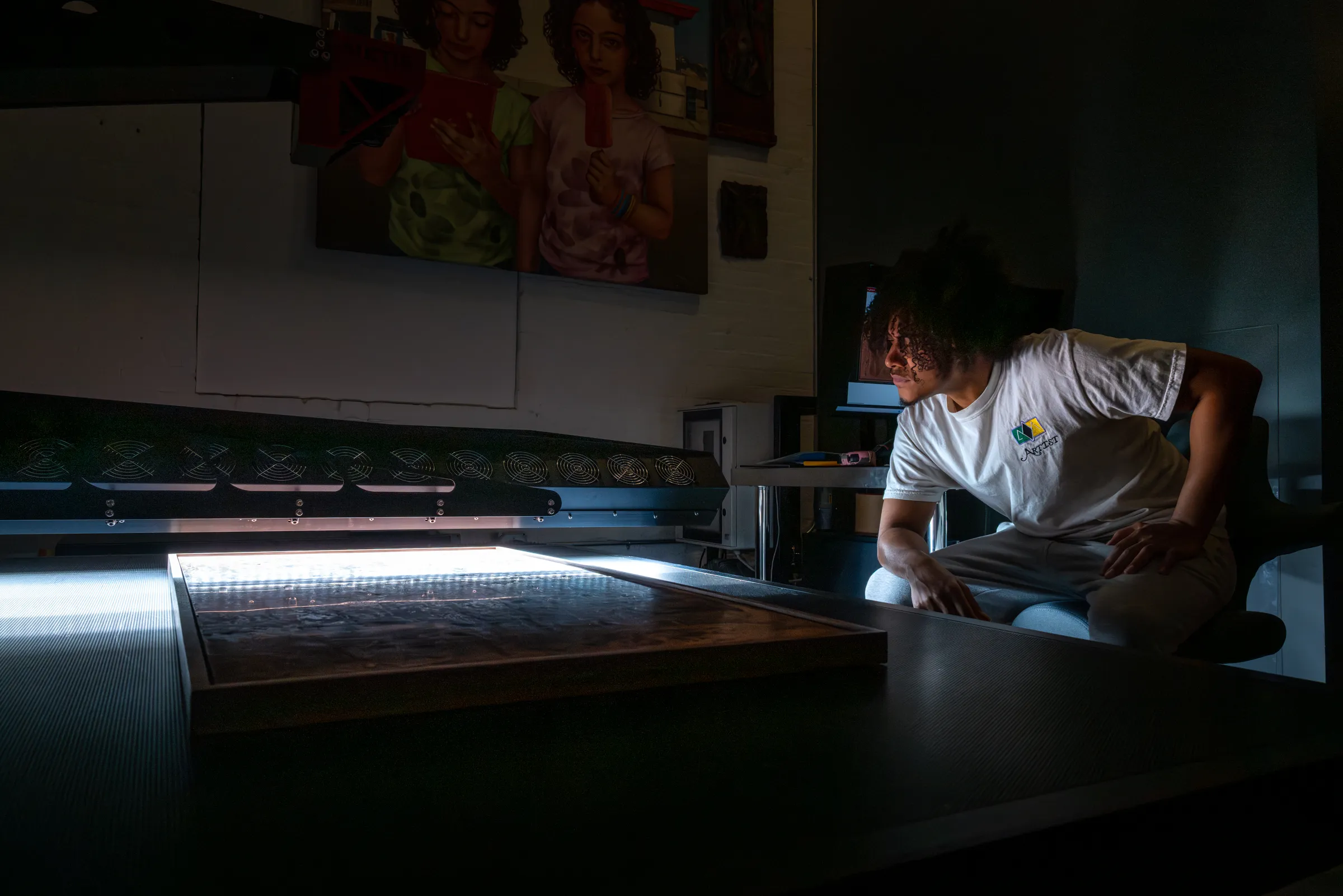
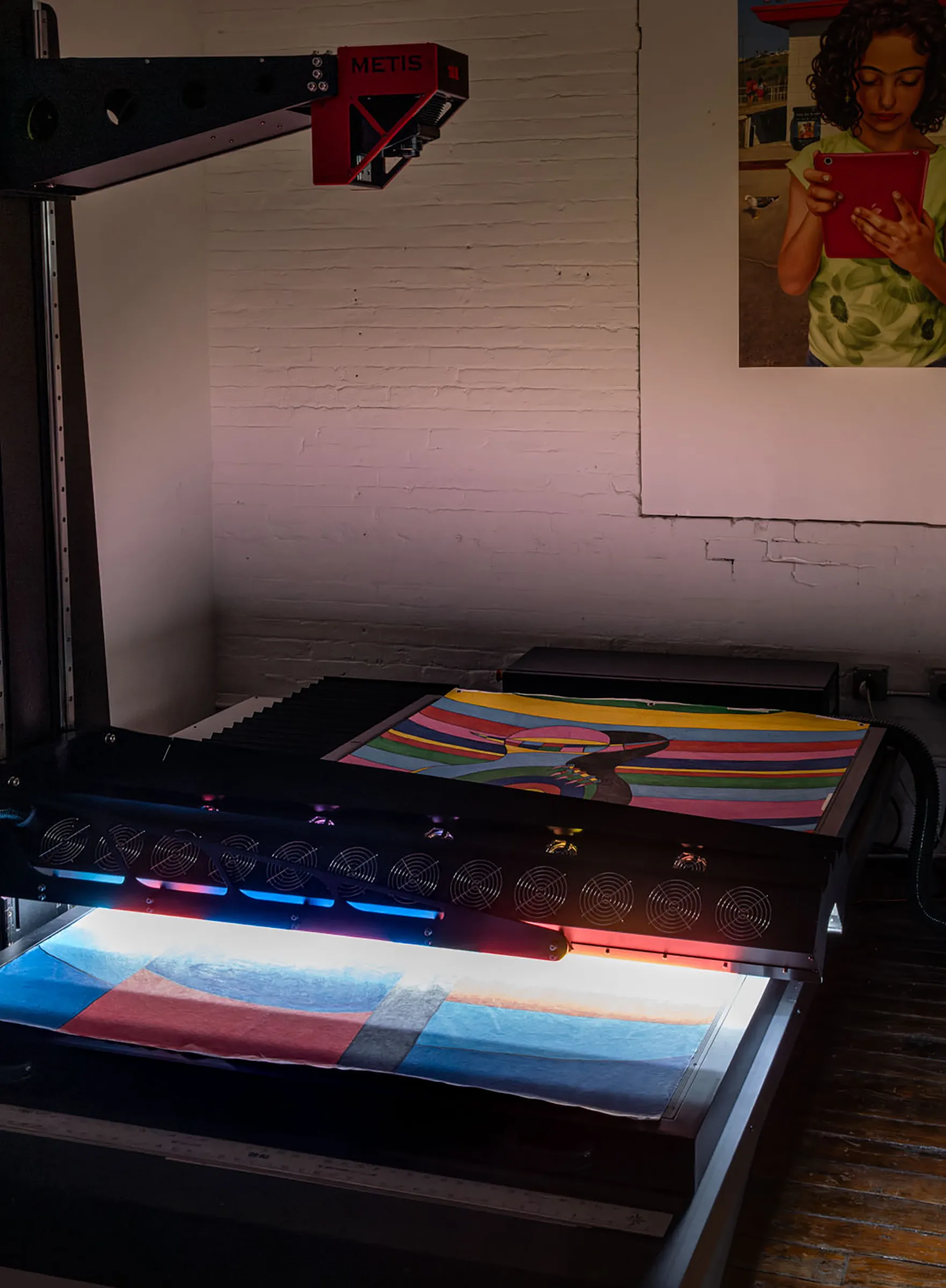
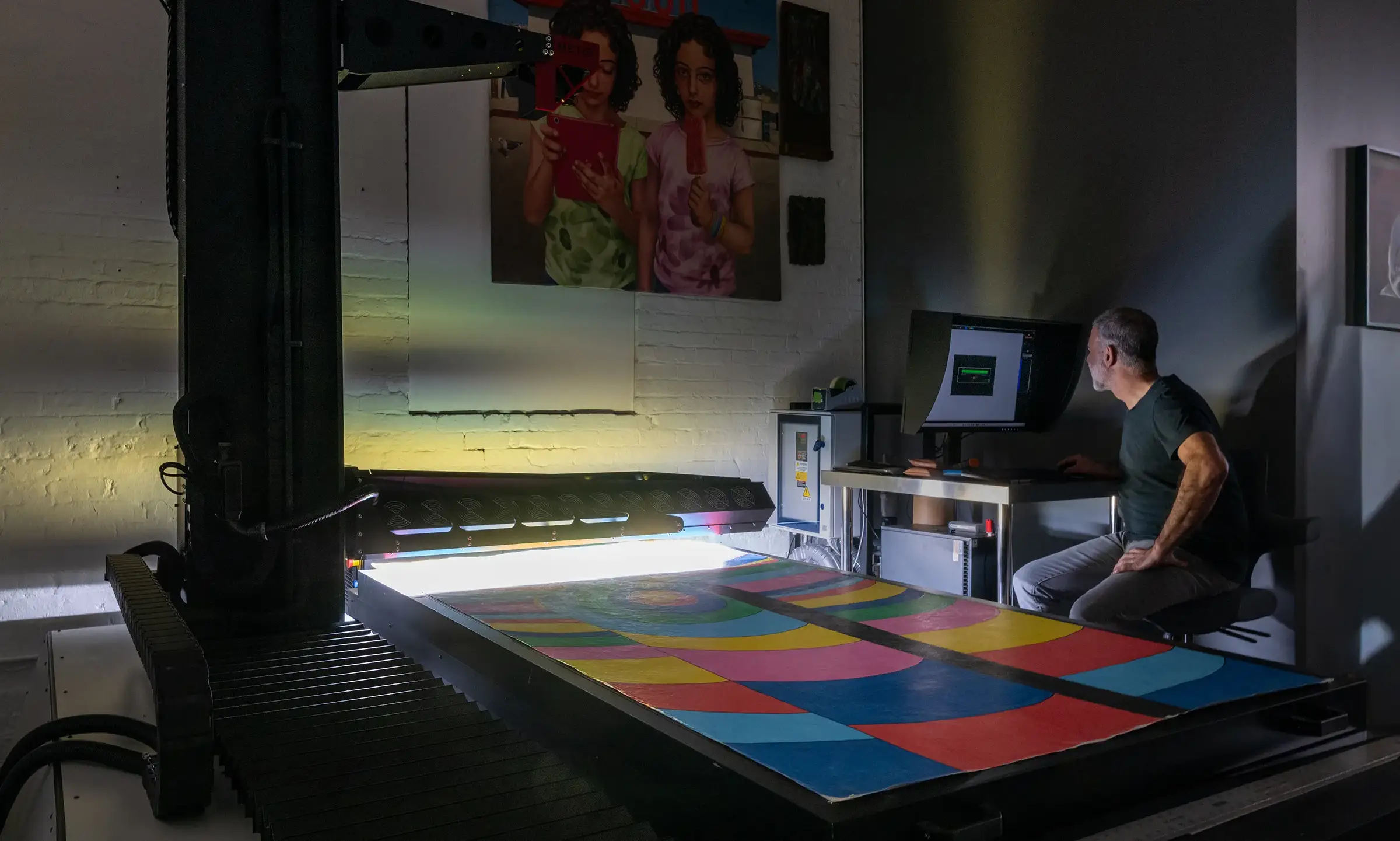
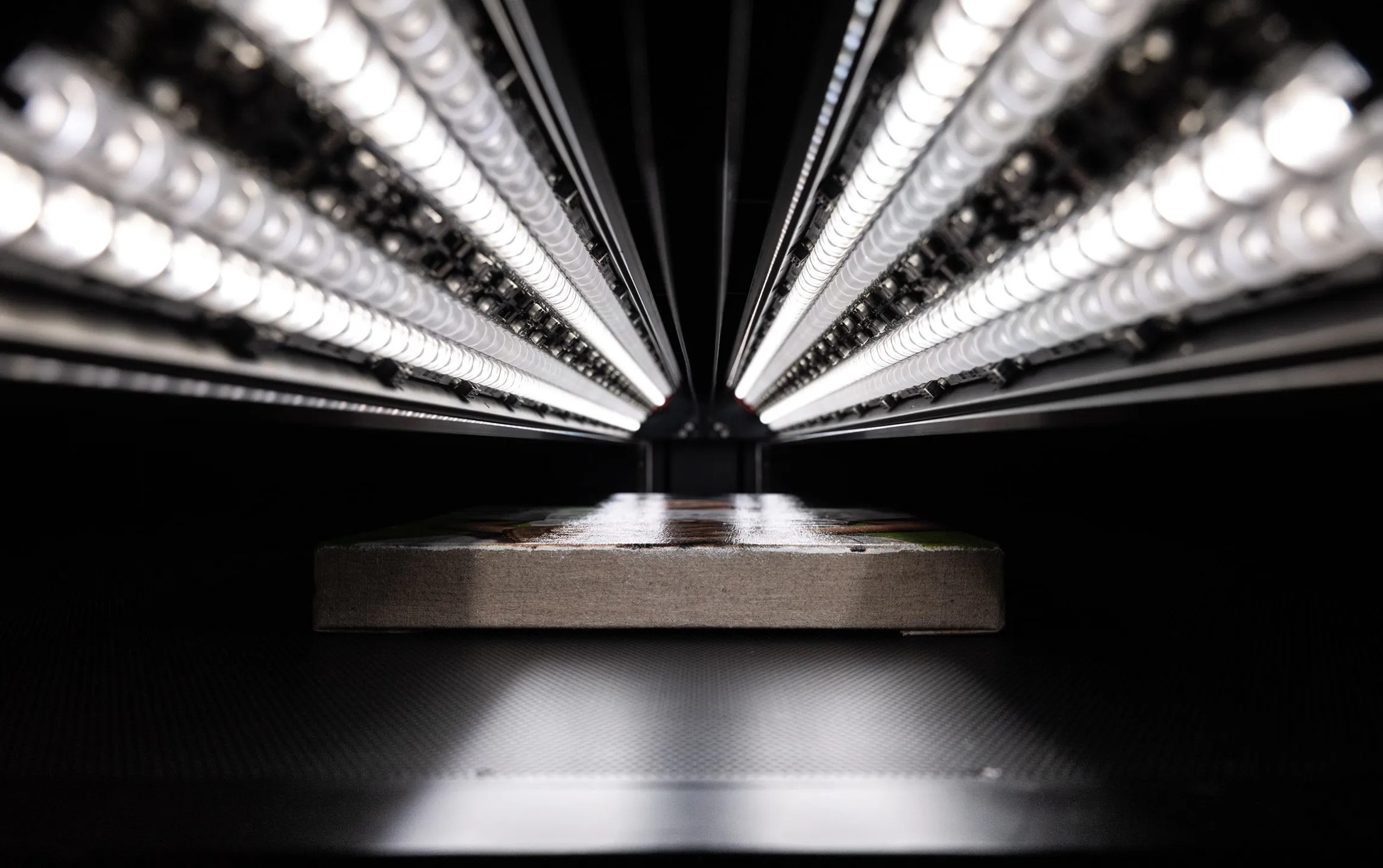
A dedicated artwork scanner builds a digital image line by line, moving a sensor and a complex lighting system in alignment across the artwork's surface in precise, calibrated registration. Rather than capturing from one central point like a camera or camera-based scanning back, the scanner stays perfectly aligned above a single line of capture. Every line of the image is captured under identical conditions — the same sensor, the same light source geometry, the same controlled distance from the artwork. This mechanical consistency removes most of the variables that make photography difficult to perfect and opens up a level of light control not possible with photographic methods.
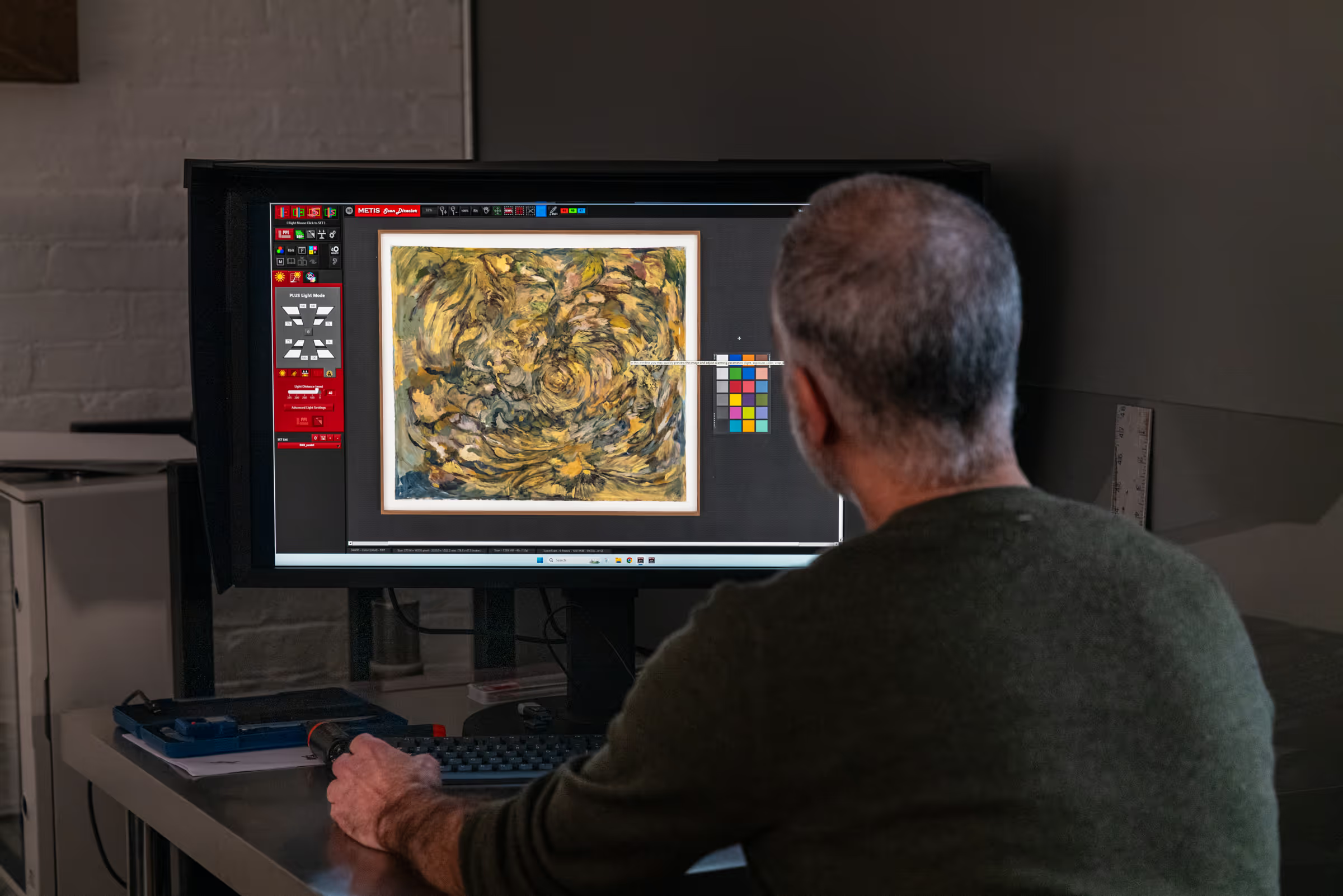
Professional large-format scanning systems — the Metis and Cruse families that define the upper tier of the field — extend this architecture to very large formats, add sophisticated multi-directional lighting control, and provide full ICC color management throughout. The result is a capture whose consistency is built into the hardware. A skilled operator working with a Metis or Cruse system has tools available to optimize the material quality of the piece — gloss, texture, depth, metallics, and more. These critical decisions will directly determine the quality of the result. The scanner removes the variables that are hardest to control in photography — lighting uniformity across a large surface, geometric distortion, challenging or reflective materials, fixed sensor resolution. The best scans from a system like the Metis DRS 2020 reflect both the capability of the instrument and the judgment of the person running it.
The practical tradeoff is infrastructure and accessibility. Professional scanning requires the artwork to be brought to a studio with the right equipment. The investment required vastly exceeds that of the very best camera systems, which means professional-level scanning is only available at a small number of specialist facilities.
Where Photography Genuinely Excels
Camera-based photography is the right choice — or the only practical choice — in a number of important scenarios. Treating it as universally inferior to scanning misrepresents both approaches.
Three-Dimensional and Sculptural Work
Scanning is designed for flat or nearly flat subjects. A true three-dimensional work — sculpture, ceramic, or installation art — cannot be scanned on any flatbed or large-format scanning system. Photography is the natural and appropriate approach for dimensional work, where the artist wants to control the viewpoint, the depth of field, and the way light falls across the object. A skilled photographer documenting sculptural work has full creative control over how the piece is presented — a scanner offers none of that.
Work That Cannot Be Moved
Large-scale murals, site-specific installations, frescoes, architectural works, and paintings that are permanently installed or too fragile or expensive to transport cannot be brought to a scanning studio. Camera-based photography is the only practical digitization method for work that must be documented in situ. High-quality photographic documentation of installed work, done by an experienced art photographer with appropriate equipment, can achieve excellent results.
Exploratory and Working Documentation
During the making of a work — capturing in-progress states, documenting working methods, recording a piece before varnishing — photography is the natural tool. The artist controls the documentation process, can capture the work at any point in its development, and doesn't need to transport it anywhere. This kind of working documentation rarely needs to meet the precision standards of a final reproduction scan.
Budget and Accessibility
For artists early in their careers, or for projects where the digital file has limited commercial application, the cost and logistics of professional scanning may not be justified. A carefully made photograph — with proper lighting, a quality camera, and color-managed processing — can produce results adequate for many purposes at significantly lower cost and with greater flexibility. The key is understanding what 'adequate' means for the specific intended use.
Speed and Volume Documentation
There is definitely an advantage to not packing up lots of work to travel to a scanning studio. When done properly, a skilled photographer can visit a location, studio, or gallery and efficiently record many works in one session. If the demands of the final files are not large prints or a permanent archive, this is a big advantage. When an artist needs to document an entire studio's worth of work quickly — for grant applications, portfolio documentation, studio records, or social media — photography is the faster and more practical approach. A skilled photographer with proper lighting can document dozens of paintings in a single session. Professional scanning is inherently slower and more deliberate; it's the right choice for individual projects where precision matters, not for high-volume quick documentation.
Photography is the right choice when:
- The work is fully three-dimensional or sculptural
- The work cannot be transported to a studio
- Speed matters more than maximum precision
- The file is for working documentation or social media
- Budget makes professional scanning impractical
- The work is installed and cannot be deinstalled
- Creative viewpoint and lighting control matter (sculpture, installation)
Scanning is the right choice when:
- The file will be used for fine art reproduction or editions
- Archival accuracy is a formal requirement
- The work has significant surface texture or dimensionality
- Color precision is critical — the print must match the original
- The file needs to support large-scale enlargement
- Multiple works of varying sizes need consistent documentation
- The subject has depth but is not fully three-dimensional (books, instruments, objects)
Where Scanning Genuinely Excels
For flat artwork where the accuracy of the digital record is important, professional scanning has specific advantages that camera-based photography cannot match.
Geometric Accuracy
Every photographic lens introduces geometric distortion — a slight bowing, stretching, or compression of the image that is an inherent property of the optical design. In particular, popular zoom lenses for consumer cameras are especially vulnerable to this. On flat artwork, this distortion changes the apparent shape of the work: straight edges appear slightly curved, and the proportions of the painting in the photograph differ from the proportions of the original. Software correction can reduce this distortion but introduces its own artifacts and never produces a perfectly accurate result.
While a professional scanner does use a lens, the linear capture and specialized lens minimize distortion to microscopic levels, resulting in unmatched accuracy. The sensor traverses the artwork in a fixed geometric relationship with no distortion introduced by optics. A painting that is 24 × 36 inches produces a file that represents those proportions exactly. For archival, institutional, and publication use — where geometric accuracy may be a formal requirement — this matters.
Lighting Consistency Across the Full Surface
When a camera photographs a painting, the light falling on the center of the painting is different from the light falling on the edges — closer to the light sources and receiving light at a different angle. On small paintings this difference may be negligible. On large paintings it can produce visible brightness variation across the surface. More critical is that the angle of reflection will be different at the edges than at, say, the center. Careful photography can minimize this balancing act, but eliminating it entirely across a large or complex surface is very difficult in practice.
A scanner's light source moves in precise registration with its sensor, maintaining the same angle and intensity at every point across the surface. The thousandth line of the image is captured under exactly the same lighting conditions as the first. This allows for unique lighting opportunities, such as a very dimensional and directional light that provides texture and contrast without glare or reflections. This lighting ability and the options available are a huge practical advantage of scanning over photography.
Surface Texture and Dimensionality
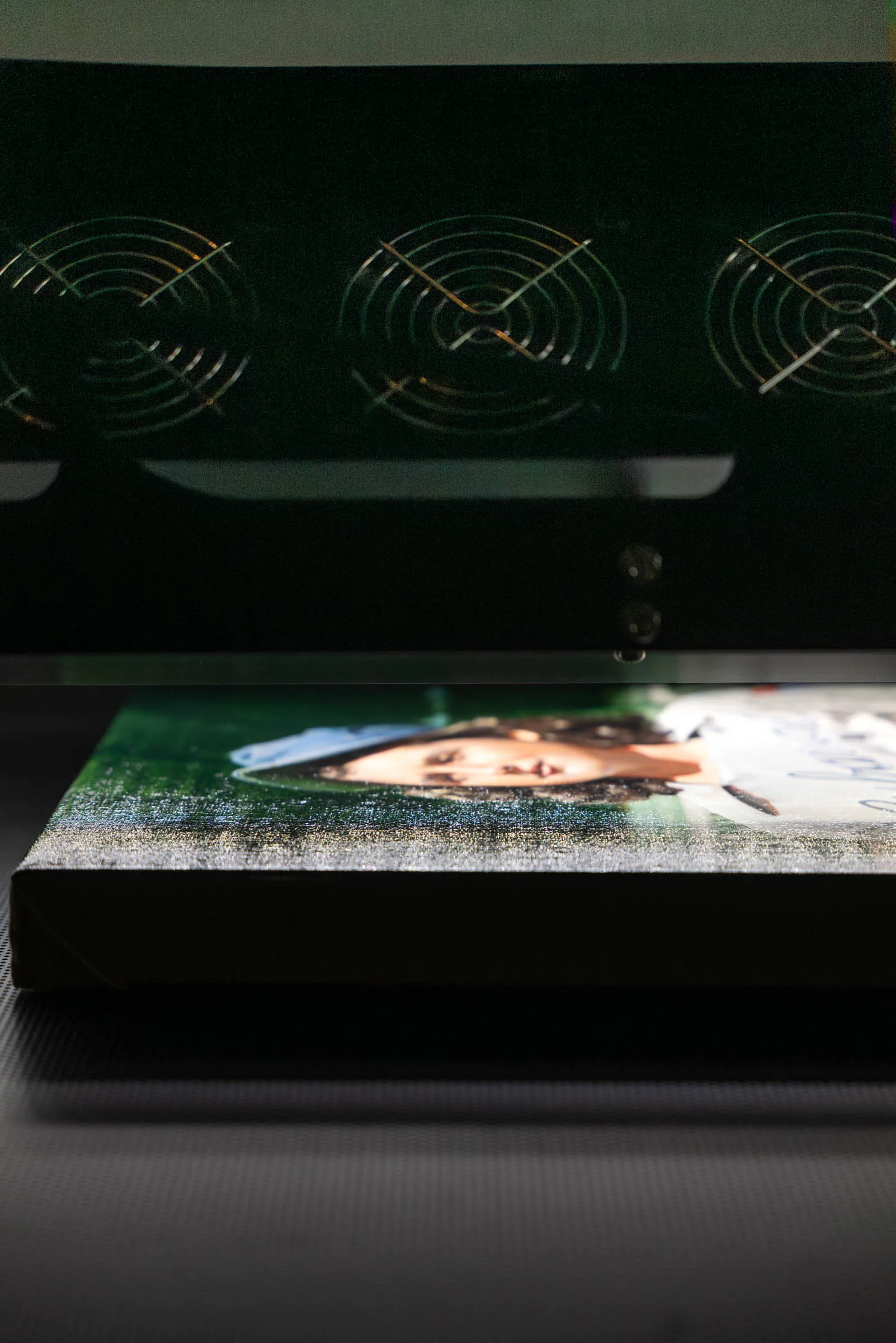
Capturing the surface character of a painting accurately — impasto brushwork, canvas texture, heavily built collage with significant relief — requires directional lighting that makes physical relief visible and look three-dimensional. The challenge with photography is that the same directional lighting that reveals texture also creates glare on reflective areas, and fixed photographic lights cannot vary their angle across the painting surface. The result is usually a compromise: texture is revealed where the lighting angle is favorable, and suppressed or replaced by glare where it isn't.
Professional scanning systems with multi-directional lighting control address this by varying the light angle dynamically across the scan surface, and in SuperScan mode by recording multiple lighting configurations simultaneously in a single file. The optimal balance between texture optimization and glare control can be found after capture rather than guessed at during a live shoot. For artists whose work depends on surface, this is a meaningful capability difference.
Color Accuracy and ICC Color Management
Achieving accurate, reproducible color in photography requires careful white balance calibration, a characterized light source, and a color-managed workflow from capture through delivery. Each of these is achievable with professional photographic equipment — but each is also a variable that must be managed correctly. These errors can compound: white balance does not in itself guarantee accurate color, and a small-gamut color space combined with a laptop screen that isn't color-calibrated may produce a file that looks correct on the photographer's monitor yet is actually inaccurate when opened elsewhere or sent to print.
Professional scanning workflows are color-managed by design. The scanner is calibrated using color reference targets of known values, a custom ICC profile is built for the specific scanner and its current state, and every file is delivered tagged with that profile. The result is a file whose color rendering is objectively characterized — any color-managed application will interpret the file the same way, regardless of what monitor it's opened on.
Scale-Independent Resolution
A camera has a fixed pixel count regardless of the size of the subject. A 24-megapixel camera produces a 6,000 × 4,000 pixel file whether it's photographing an 8 × 10 inch drawing or a 40 × 60 inch painting. For large work, that fixed pixel count translates to lower effective resolution — not enough pixels per inch of original to support high-quality reproduction at scale. Medium-format systems push this ceiling considerably, but even a 100-megapixel capture of a large painting falls short of what a scanner produces at a given PPI.
A scanner captures pixels proportional to the physical size of the subject. The same PPI setting applied to both a small drawing and a large painting produces files whose pixel dimensions scale with the artwork. A 40 × 60 inch painting scanned at 600 PPI produces a 24,000 × 36,000 pixel file — significantly more detail than most camera setups can deliver for work at that scale, and sufficient to support reproduction at multiple times the original size.
Workflow Efficiency for Multiple Works
A practical advantage of scanning that is rarely discussed is capture efficiency — particularly when documenting multiple works or works of varying sizes. When a photographer documents a collection of paintings, each size change requires repositioning the camera, adjusting the light stands, rechecking the alignment, and verifying the exposure and color balance before capturing. A collection with works ranging from 8 × 10 to 40 × 60 inches requires repeated setup adjustments between captures, each introducing the possibility of inconsistency.
A scanner's geometry doesn't change between works. The same calibrated setup that scans a small drawing captures a large canvas — the sensor traverses the full bed regardless, and the file simply reflects the dimensions of whatever is on the table. This makes scanning significantly more efficient for varied collections and means that the color calibration and lighting conditions that were verified at the start of the session remain valid throughout. The surprising result is that scanning can be much faster and more efficient than photography for large archives or projects with many pieces.
The Metis DRS 2020 takes this further: multiple smaller works can be placed on the bed simultaneously and captured in a single scan, then separated into individual files afterward. A set of ten drawings, a collection of photographs, or a group of prints can be scanned in one pass and cropped into individual files — a workflow with no photographic equivalent that substantially reduces the time and cost per piece for collection work.
Objects with Depth — Beyond Flat Artwork
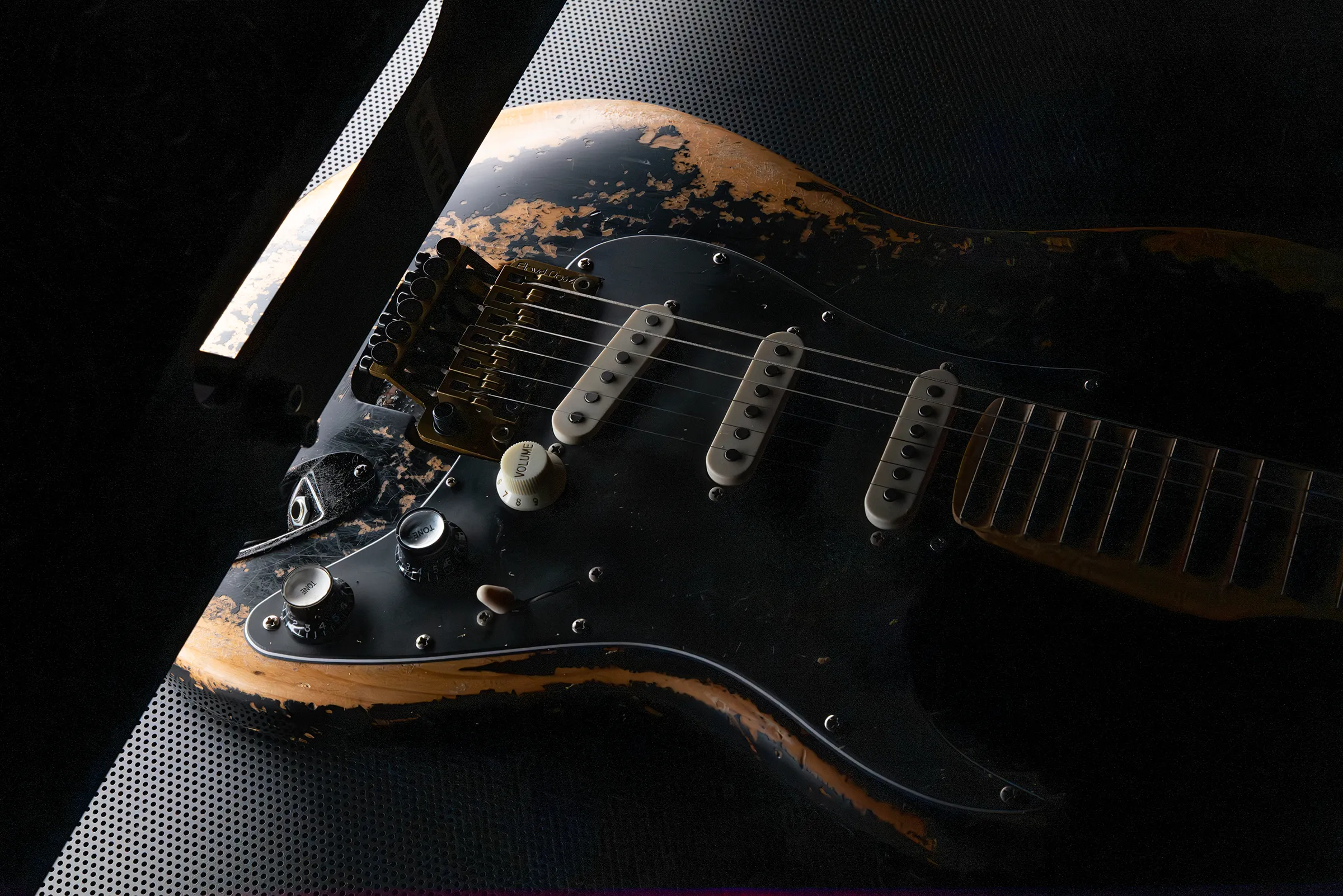
Professional large-format scanners are not limited to completely flat subjects. The Metis DRS 2020 has a user-selectable depth of field that accommodates objects with several inches of surface relief — well beyond the thickness of a stretched canvas or a work on paper with raised media. Objects such as books, instruments, decorative objects, tiles, leather goods, or small artifacts can be captured with accurate color, surface detail, and dimensional rendering that photography finds difficult to achieve consistently.
This is distinct from sculpture photography, which requires controlled viewpoints and creative lighting decisions. Scanning objects with depth is more analogous to very precise, overhead product photography — the scanner captures what is directly below it, rendering surface texture, material variation, and dimensional relief with the same accuracy it applies to flat artwork. For a guitar body, a ceramic tile, a textile, or a wood carving, the result is a single flat image that renders the object's surface with a fidelity and consistency that camera photography rarely matches. Full sculpture and three-dimensional works in the round remain firmly in photography's domain — but for mostly flat objects with depth and relief, professional scanning provides a far superior result.
Related guide: What Resolution Should Artwork Be Scanned At? — understanding the relationship between scan resolution, file size, and print scale helps clarify why resolution is one of the most significant practical differences between scanning and photography for large artwork.
Which to Choose: A Decision Guide by Use Case
The list below summarizes the recommended approach for the most common artwork digitization scenarios. These are generalizations — the right answer for any specific project depends on the artwork, the quality of equipment available, and the precision requirements of the intended use.
- Fine art giclée edition printing — scanning. Color accuracy and resolution at scale are critical; professional scanning is the standard for edition work.
- Archival documentation (institutional) — scanning. Geometric accuracy, ICC color management, and formal file standards typically require scanning.
- Archival documentation (personal) — either, scanning preferred. Photography is adequate if color-managed; scanning for high-value or irreplaceable works.
- Publication (book, catalogue) — scanning preferred, though depending on book size, photography may be sufficient. Publication files often require high resolution at reproduction size; scanning is more reliable at scale.
- Gallery website / digital portfolio — either. Screen display requires far less precision than print; well-made photography is adequate.
- Social media documentation — photography. Speed and convenience outweigh precision requirements.
- In-progress / working documentation — photography. No precision requirement; photography is the natural tool for studio documentation.
- Three-dimensional or sculptural work — photography. Scanning is not applicable; photography with controlled lighting is the right approach.
- Objects with depth (textiles, collage, relief, instruments, tiles, small objects) — scanning. Metis depth of field accommodates several inches of relief — superior surface rendering to overhead photography for flat-topped objects.
- Installed or immovable work — photography. Scanning requires the work to come to the studio; photography is the only option for installed work.
- Large-scale painting (over 18 × 25 in) — scanning strongly preferred. Camera resolution is fixed regardless of subject size, whereas scanning scales proportionally.
- Very large / mural-scale work — photography or scanning. Depends on whether the work can be transported; multi-pass scanning if possible, photography if not.
- Collection of varied-size works — scanning preferred. Scanner geometry doesn't change between sizes; multiple small works can be placed on the bed and cropped individually, while photography requires a full reset between sizes.
- Insurance or estate documentation — scanning preferred. Objective, ICC-characterized files provide the most reliable long-term record.
- Pre-sale or auction documentation — scanning preferred. Institutional buyers and auction houses increasingly expect precision capture for significant works.
- Scanning back photography (BetterLight, Rencay) — either, specialist use. High resolution and geometric accuracy but limited to continuous lighting; shares photography's glare and texture limitations; a legitimate third option for flat work.
- Film negatives and transparencies — drum scanning. Film requires a different process entirely — neither flatbed scanning nor camera capture is optimal.
Using Both: The Hybrid Approach
Many working artists and galleries use both photography and professional scanning as complementary tools, each applied to the situations it's best suited for. This is probably the most practical approach for artists with an active studio practice.
Photography for the Studio, Scanning for Production
Day-to-day studio documentation — in-progress states, quick portfolio updates, social media — is handled by photography, often with a good camera phone or a camera setup the artist controls and a reliable photographer. When a work is finished and destined for reproduction, edition production, or institutional documentation, it goes to a professional scanning studio. The artist gets the convenience and flexibility of photography for working purposes and the precision of scanning for the files that actually need to do serious work.
Photography for Initial Assessment, Scanning for Final Capture
Some artists and galleries use a high-quality photograph as a preliminary review — confirming the composition, checking the framing, assessing whether the work is ready for documentation — before committing to a professional scan. The photograph doesn't need to be archival quality; it just needs to be good enough to confirm the work is ready and the scan is warranted. This is particularly useful for large collections where not every work requires a professional scan.
Photography for Installation, Scanning for Reproduction
For artists who exhibit regularly, installation photography — showing the work in context, in the exhibition space, with viewers — is done by a photographer covering the exhibition. The same work is scanned separately for reproduction, publication, and archival purposes. The two captures serve entirely different functions and are evaluated against different standards.
Can Photography Match Scanning Quality?
This is the honest version of the question, and it deserves a direct answer: for flat artwork, under the most controlled conditions, with the best available equipment and a highly skilled operator, professional camera photography can produce results that approach — but generally don't match — professional scanning for the variables that matter most to fine art reproduction.
The ceiling for camera photography is set by lens distortion, lighting uniformity constraints, and the fixed pixel count of the sensor. These are inherent physical limitations, not skill limitations. An expert photographer using a medium-format system with a precision lens and a perfectly calibrated lighting setup will still introduce some lens distortion, some lighting falloff at the edges, and some color management variables that a scanning system removes by design.
Resolution is where the gap becomes most concrete and measurable, particularly as artwork size increases. A Phase One 150-megapixel camera — among the highest-resolution digital capture systems available — produces a file of approximately 14,200 × 10,600 pixels, regardless of whether it is photographing a 6 × 8 inch drawing or a 60 × 80 inch canvas. That fixed pixel count is the ceiling for any single camera capture of any subject. A 40 × 60 inch painting scanned at 1200 PPI on the Metis DRS 2020 produces a file of 48,000 × 72,000 pixels — more than twenty times the pixel count of the Phase One capture for the same subject. No photography system, at any price point, closes this gap for large artwork. The resolution advantage of scanning scales with subject size: the larger the painting, the wider the gap.
The gap is smallest for small, flat, matte artworks — the conditions most favorable to photography. It is largest for large, textured, reflective, or tonally complex works — the conditions where the physics of camera-based capture compound their limitations.
For many practical purposes, this gap doesn't matter. A well-made photograph of a 12 × 16 inch watercolor, produced with proper lighting and color management, will be adequate for giclée reproduction at modest scale. However, a collage or impasto of the same size may need more than pure resolution to truly capture the artwork. A 48 × 72 inch oil painting, with significant impasto and varnish, represents a scenario where the gap between what a camera captures and what a professional scanner captures is large enough to matter significantly.
Related article: Why Photos of Paintings Look Wrong — and How Professionals Fix It — if you've already tried photographing your work and something looked off — glare, color shifts, flattened texture — this article explains the specific reasons why and what professional scanning addresses.
Frequently Asked Questions
Is professional scanning always better than photography for artwork?
Not always. For three-dimensional work, installed or immovable work, and situations where speed and convenience matter more than maximum precision, photography is often the right choice or the only practical option. Professional scanning produces superior results for flat artwork where color accuracy, geometric precision, and resolution at scale are important — but those requirements don't apply to every project.
Can I use my camera to photograph artwork for edition printing?
Possibly, depending on the artwork and the print scale. A well-made photograph of a small, flat, matte work — using a quality camera, proper lighting, and a color-managed workflow — can produce good files adequate for edition prints at modest scale. For large paintings, textured surfaces, reflective materials, or prints that will be significantly enlarged, the limitations of camera capture become more significant. If you're uncertain, a consultation with a scanning studio will tell you whether your existing photographs are suitable for the print sizes you're planning.
My painting is too large for a standard flatbed scanner. What are my options?
A professional large-format scanning system — the type used by major museums and specialized fine art studios — can capture paintings significantly larger than any flatbed. The Metis DRS 2020, for example, accommodates artwork up to 79 × 47 inches in a single pass, with automatic stitching for larger works. For paintings too large even for this, photography is the practical alternative — though the resolution limitations of camera capture become more significant at large scale.
Is it worth scanning a painting I've already photographed?
Potentially, yes — if the file will be used for reproduction, archival documentation, or edition production where accuracy is important. A professional scan produces a fundamentally different type of file from a camera photograph: geometrically accurate, ICC color-managed, with surface texture rendered by controlled directional lighting. If your existing photograph is serving its purpose adequately, rescanning may not be necessary. If you're planning a significant edition or formal archival project, it's worth discussing the existing file with a printing and scanning studio to assess whether it meets the requirements.
Should I photograph my artwork before bringing it for scanning?
Yes — a quick photograph before the scan appointment is useful for several reasons. It confirms the work is ready for documentation, gives the studio a reference for what to expect, and provides a preliminary visual record if anything were to happen during transport. It doesn't need to be archival quality; it just needs to be accurate enough to serve as a reference.
Does the type of artwork affect which approach is better?
Significantly. Smooth, flat, matte artworks — drawings, some watercolors, works on paper with minimal texture — are the most photography-friendly, and the gap between a well-made photograph and a professional scan is narrowest. Paintings with significant impasto, varnished surfaces, metallic or reflective pigments, canvas texture, or mixed media elements are where the advantages of professional scanning are most pronounced. Three-dimensional work of any kind is essentially outside the scope of scanning.
How do I find a professional scanning studio?
Look for studios that use professional large-format scanning systems — ideally Metis or Cruse instruments — and that specialize in fine art rather than document scanning. Ask about their scanner model, native optical resolution, color management workflow, and whether they offer printing alongside scanning. A studio that handles both scanning and printing in a color-managed environment is best positioned to ensure that your scan file will produce the result you need in print.
Professional Artwork Digitization at Brooklyn Editions
At Brooklyn Editions, artwork is digitized using the Metis DRS 2020 — a professional scanning system with a native optical resolution up to 1600 PPI and a scan bed capable of capturing large paintings in a single contactless pass. Every scan project begins with a consultation to discuss the artwork, its dimensions, and the intended use of the files, so that we can recommend the right resolution and workflow before any work begins.
If you're planning to reproduce artwork as prints, create an archival digital record, or produce an edition, our scanning services page has full details on the process, file delivery, and how to get started.