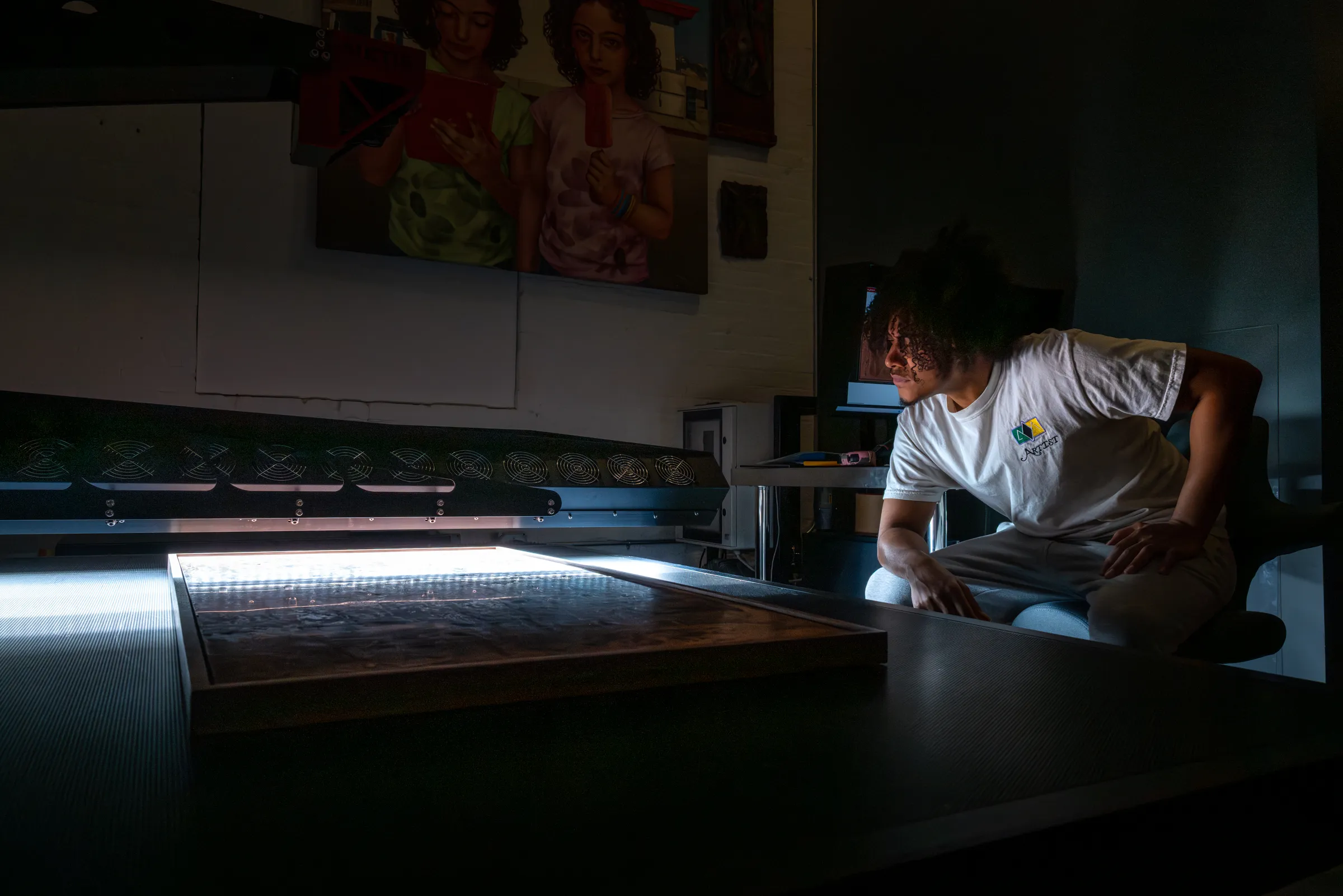

Fine Art Scanning: Understanding Artwork Digitization
When an artist or collector needs a high-quality digital file from an original work — whether for reproduction, archival preservation, publication, or edition production — fine art scanning is the process that makes it possible. But not all scanning is the same, and the difference between a professional fine art scan and most forms of digital capture may determine whether a reproduction faithfully represents the original or falls short in a variety of ways.
This guide explains how fine art scanning works, what separates professional artwork digitization from other approaches, and what artists, collectors, and galleries should know when preparing originals for scanning. It covers the technology, the variables that matter most, and how to interpret the files you receive at the end of the process.
Whether you're scanning a work for the first time or looking to understand why a previous capture didn't deliver what you expected, this guide is written to give you a clear, working understanding of the process and the potential — without the jargon. Where technical terms appear, click on them for a quick definition, or find them explained in the Glossary at the end of this page.
What is Fine Art Scanning?
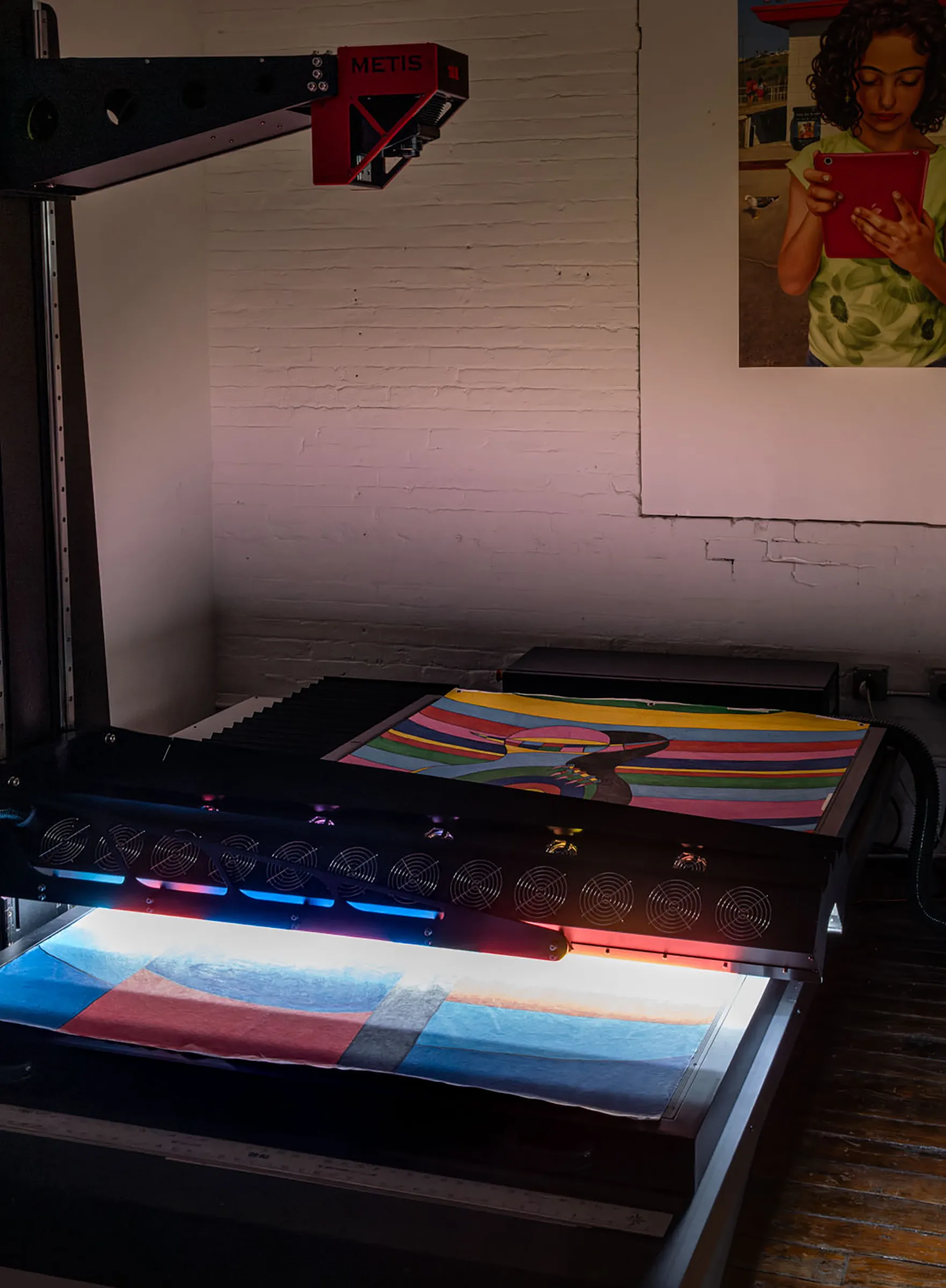
Fine art scanning is the process of creating a high-resolution, color-accurate digital file from an original two-dimensional or dimensionally complex artwork — paintings, works on paper, photographs, textiles, mixed media, and other surfaces — using a dedicated scanning system rather than a camera.
A true fine art scanner is a rare thing, and most people, even professional artists and curators, have never seen or heard of such a machine. These scanners are often the size of a car, and very expensive, so they are only found in cultural institutions and select fine art studios committed to the absolute best artwork capture available. The list of top scanners is a short one: Metis and Cruse scanners are the state of the art options and without equal.
The term distinguishes professional artwork digitization from two things it's often confused with: office and document scanning, which operates at low resolution with no color managementThe use of ICC profiles to ensure that colors are interpreted consistently across different devices — scanner, monitor, printer — throughout an imaging workflow.; and camera-based capture, which uses a DSLR or mirrorless camera and studio lighting to photograph the work. Camera capture has its place, particularly for three-dimensional pieces or works that cannot be transported, but for most flat artwork, professional scanning produces a significantly more accurate and consistent result.
At its core, a fine art scanner is an optical instrument. A light source and image sensor move in precise, calibrated registration across the surface of the artwork, building a file line by line. Because the light source, sensor, and artwork are all in a fixed geometric relationship during capture, a scanner can achieve a level of spatial accuracy and tonal consistency that camera-based photography — where light, lens, and subject are all variables — finds very difficult to match.
What Fine Art Scanning is Used For
Artists and institutions use fine art scanning for several distinct purposes, and the requirements of each can differ:
- Reproduction Printing — Creating files from original artwork that will be used to make gicléeA high-quality inkjet printing process using archival pigment inks on fine art papers or canvas. Giclée printing is the standard method for fine art print reproduction and edition production. prints, limited editions, or open edition reproductions. The file must be large enough and color-accurate enough to produce prints indistinguishable from the original.
- Archival Documentation — Preserving a faithful digital record of a work for estate, publication, or institutional purposes. Here, dimensional accuracy and metadata are as important as visual quality.
- Publication and Digital Use — Supplying files for books, catalogues, gallery websites, and digital platforms. Publication typically requires specific color modes (CMYK) and resolutions that differ from print reproduction workflows.
- Edition Production — Generating a master file from which a defined number of prints will be made, often in multiple sizes, over an extended period. File quality and color fidelity must be high enough to produce consistent results across every edition print.
- Conservation and Research — Capturing surface texture, condition, and material properties for conservation records, scholarly analysis, or restoration reference.
What Makes a Professional Fine Art Scan Different
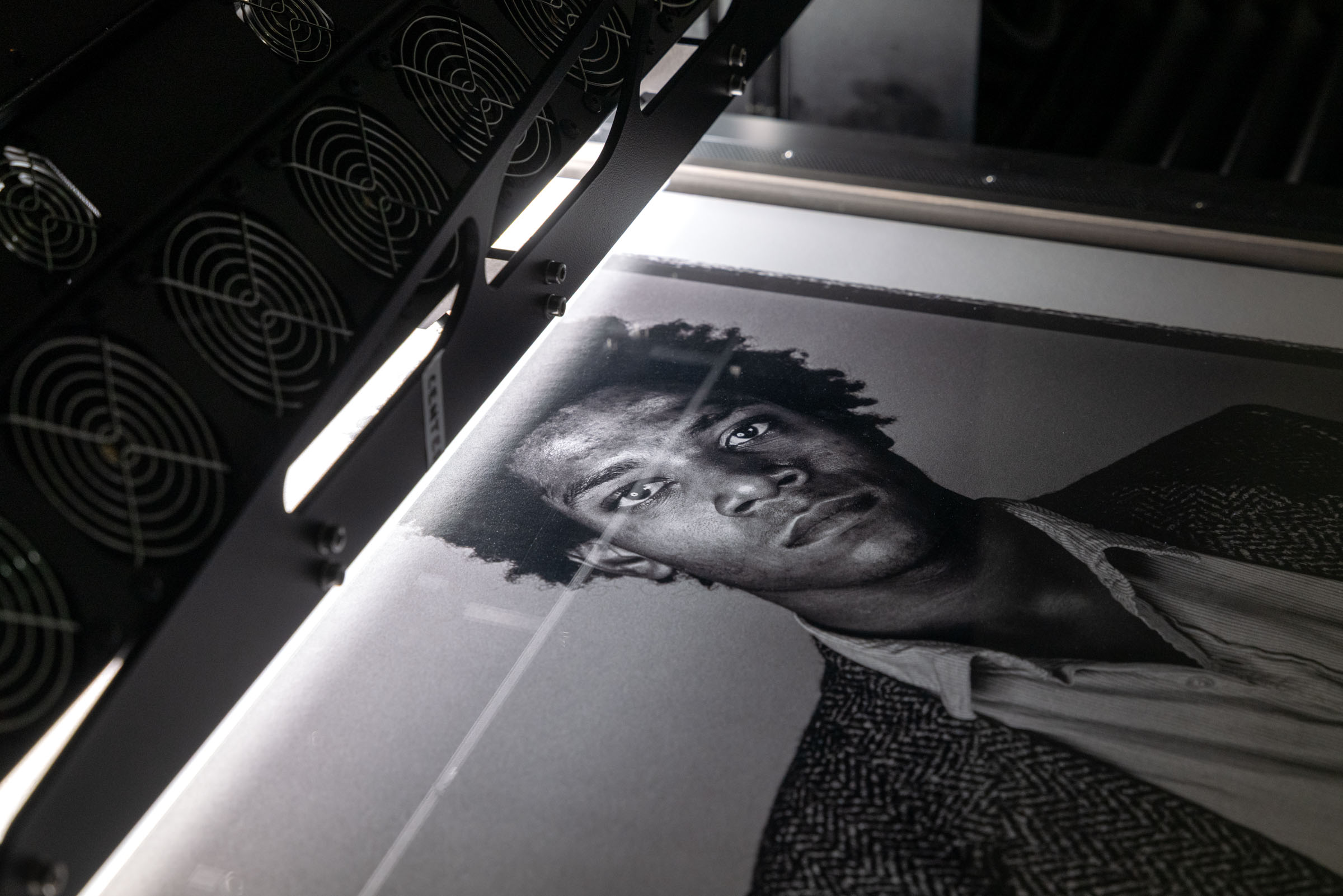
The gap between a file made by a camera or on an office flatbed or home scanner, and one produced by a professional fine art scanning system is significant — and it's not primarily about resolution, though resolution matters. It's a combination of essential elements and the combination of them when properly applied is the recipe for getting optimal files that accurately represent the piece.
Color Management
A professional fine art scan is color-managed from start to finish. This means the scanner's sensor is calibrated by first reading color patches of known values and optimizing for any differences in the data. The specific scanner setting and each lighting state, gets a unique calibration and every file is delivered tagged with a wide gamutA range of colors that can be reproduced by a given equipment or potentially represented in a file. working space ICC profileA standardized file that describes the color characteristics of a device — scanner, monitor, or printer — allowing color-managed software to translate colors accurately between different parts of a workflow.. The result is a file that any color-managed application — photoshop, a print RIP, or a publishing layout program — can interpret consistently and accurately.
Many professional cameras and consumer scanners do not support robust calibration methods. Color managementThe use of ICC profiles to ensure that colors are interpreted consistently across different devices — scanner, monitor, printer — throughout an imaging workflow. alone cannot produce the accuracy needed. An unmanaged file — one produced without profiling or simply missing this essential data — may look acceptable on the screen it was captured on, but will shift unpredictably when opened on another display, sent to a printer, or reproduced in print as it has no objective point of reference for the color data. For fine art reproduction, where the goal is a print that matches the original, unmanaged color is the most common source of failure.
Lighting Control
Conventional flatbed scanners use a single light source mounted in a fixed position. This works adequately for flat, matte documents and photographs, but it has no ability to vary the angle or intensity of light across the scan surface. For artwork — particularly paintings with impastoA painting technique in which paint is applied thickly, creating raised texture and dimensional surface relief. Capturing impasto faithfully requires directional lighting during scanning. texture, canvas grain, metallic pigments, or varnish layers — this fixed lighting produces a flat, characterless result that loses much of what makes the original interesting.
Professional photographic lighting can have lights that can be positioned independently offering some degree of control, but since the camera records the whole capture at once, the lighting angle will vary across the piece and has little ability to truly represent texture, depth, reflections or challenging materials as the eye sees it.
Professional fine art scanning systems use multiple independently controlled light sources whose angle and intensity can be varied during capture. This lighting is precisely aligned and moves in registration with a single line of capture. Every pixelThe simplest or smallest element of a digital image. Usually square. that is captured has the exact same angle of light and is exactly parallel to the work. This offers a huge improvement in lighting consistency and control. The added benefit is this technology allows the scanner to mathematically understand the physical surface of a work — the tooth of canvas, the ridge of a brushstroke, the gloss of a varnish or the depth of impasto paint — with the same dimensionality and presence the original has under gallery lighting. The scan becomes a faithful optical record of the work, not just a record of its colors.
Scan Bed Size
Most flatbed scanners max out at A3 or tabloid size — roughly 11 × 17 inches. Artwork that exceeds this footprint either can't be scanned at all, or must be scanned in sections and stitched together manually, which introduces registration errors and inconsistencies. Professional large-format scanningScanning of artwork whose dimensions exceed the capacity of a standard flatbed scanner, typically requiring specialized equipment with large scan beds or multi-pass stitching capability. systems can capture paintings up to several feet in a single pass, with incredibly precise multi-pass stitchingThe process of combining multiple scan passes into a single seamless file, used when an artwork exceeds the single-pass bed size of the scanner. Professional stitching systems align passes automatically with sub-pixel accuracy. available for works that exceed even that footprint. For artists working at scale, the large bed size is often a compelling factor in choosing a professional scan.
Accuracy in Scale
Every camera lens has some element of distortion, some can be quite significant. The line capture of a scanner combined with mathematical corrections results in a hyper accurate measurement and true to scale representation that no camera can achieve.
Surface Capture and Texture
For many artworks — particularly paintings, works with heavy texture, mixed media with raised elements, and any work on a woven or fibrous substrate — the surface itself is part of the work. A digital file that captures only color information, without preserving any sense of the physical surface, produces reproductions that read as flat and lifeless regardless of their resolution or color accuracy.
Advanced fine art scanning systems address this through directional lighting control and, in the most sophisticated instruments, through photometric stereoA scanning technique that derives accurate 3D surface data from 2D image captures taken under multiple lighting angles. Used to generate depth maps and glossiness maps from artwork scans. techniques that derive accurate 3D surface data directly from 2D scan information. The result is a capture that retains the optical and dimensional character of the original — depth, texture, and material presence — in a way that conventional scanning or photographic capture cannot achieve.
The Five Essentials That Define Scan Quality
When evaluating a scan — or specifying one — there are five technical variables that matter most: resolution, lighting, bit depthThe number of tonal values recorded per color channel in a digital file. 8-bit files record 256 values per channel; 16-bit files record 65,536. 16-bit (48-bit total) files will appear identical to 8 bit but when subject to heavy editing the additional data in the 16 version bit will allow the resulting file to look much more natural and keep smooth transitions. 32 bit files support HDR imaging in photography but there is no current printing technology that can input 32 bit data., color spaceThe range of colors a digital file can represent. Common color spaces include sRGB (narrower, for screen use), Adobe RGB (wider, for print), and ProPhoto RGB (widest, for high-gamut output)., and dynamic rangeThe range of tonal values a scanner can capture simultaneously, from the deepest shadow to the brightest highlight. Higher dynamic range preserves detail in both extremes and is critical for high-contrast artwork.. Understanding what each means in practical terms helps artists make informed decisions about what they're asking for and why.
Resolution
Resolution in scanning is measured in PPIThe measure of scanning resolution — how many pixels are captured per inch of original artwork. Higher PPI produces larger files with more detail and greater potential print scale. (pixels per inch) and describes how much detail the scanner captures from the original. A higher PPI means more pixels per inch of original artwork, which means more information, detail and larger potential print sizes from the resulting file.
For most fine art reproduction work, a scan at 600 PPI produces a file large enough to print at twice original size with excellent quality. At 1200 PPI, the same file can be reproduced at roughly four times the original dimensions without visible degradation. At 1600 PPI — the native optical maximum of the most advanced fine art scanning systems — the file is large enough to produce prints at many times the original size, or to support extreme cropping into fine detail for close-up reproduction.
The practical implication is that the right scanning resolution depends on what the file will be used for. Archival documentation of a very large painting might require a lower PPI than a small drawing destined for large-format edition prints. A professional scanning consultation will always start with a question about intended use.
It's also worth noting that resolution is meaningless without quality: a 1600 PPI scan made with poor lighting, an uncalibrated sensor, or on equipment not designed for artwork will produce a large, low-quality file. Resolution is only one ingredient in the recipe.
Native Optical Resolution vs. Interpolated Resolution
It's worth noting that resolution can be either native optical or interpolated, and the difference between the two is huge. Native optical resolutionThe true resolving capability of a scanner's imaging sensor and optics — the number of distinct pixels the hardware can capture per inch of the original artwork without computational assistance. Native optical resolution is a fixed physical property of the instrument and the only resolution figure that represents real captured detail. It should be distinguished from interpolated resolution, which uses software to generate additional pixels from the captured data. When comparing scanning services or equipment, always ask for the native optical resolution. See also: Interpolated Resolution. is the actual resolving capability of the scanner's imaging sensor and optics — the number of distinct pixels the hardware can capture per inch of the original. It is a fixed physical property of the instrument. When a professional fine art scanner is described as having a native optical resolution of 1600 PPI, that figure represents real optical data: 1600 distinct measurements of color and tone for every inch of the artwork.
Interpolated resolutionA software process which generates additional pixels between the pixels that are actually captured by the sensor, producing a larger file without adding real detail from the original. Interpolated resolution figures — often very large numbers used in scanner marketing — describe computed pixels, not optically captured ones. For fine art and archival purposes, native optical resolution is the only figure that indicates true capture quality. See also: Native Optical Resolution. is something different. It is a software process — the scanner or its driver uses the natively captured pixels as a starting point and mathematically calculates additional pixels to fill in between them, producing a larger file. An interpolated file at 3200 PPI derived from a 1600 PPI optical capture contains no additional actual detail from the original artwork. The extra pixels are educated mathematical guesses, derived from the surrounding real pixels, but they cannot equal or improve the optical scanned information itself.
A scan advertised at 9600 DPIA commonly mis-used term. DPI refers to dots per square inch such as a printer might output 1200 dots of ink in an inch to produce detailed smooth results. DPI can also mean how many dots per inch frequency on a screen for silk screening and other printmaking processes. DPI is commonly confused with PPI: Pixels Per Inch which is the correct term for describing resolution. that has a native optical resolution of 600 PPIThe measure of scanning resolution — how many pixels are captured per inch of original artwork. Higher PPI produces larger files with more detail and greater potential print scale. captures no more real detail from the original than a 600 PPI scan — the additional pixels are computed, not captured. For fine art reproduction and archival documentation, native optical resolution is the only figure that matters.
This distinction is rarely explained clearly in scanning marketing, where very large DPI numbers — 6400, or 9600, sometimes appear as headline specifications. It is worth asking any scanning service what the native optical resolution of their equipment is, separately from any interpolated maximum. For the Metis DRS 2020, the native optical resolution is 1600 PPI — a genuine measurement of what the sensor actually captures, not a software-generated figure.
Lighting
Lighting is more than accurate color and exposure. Lighting reveals or hides the material quality of the scanned piece. Poor lighting is not only responsible for uneven exposure, it can result in glare, reflections or harsh shadows. The controlled dimensional lighting of a professional scanner can be infinitely customized to accommodate difficult surfaces, reveal texture, gloss and depth. Conversely, it can also flatten paper and canvas textures for smooth reproductions when needed. Tailoring the optimal lighting conditions to each original and the reproduction goals is a critical part of the process.
Color Space
A color spaceThe range of colors a digital file can represent. Common color spaces include sRGB (narrower, for screen use), Adobe RGB (wider, for print), and ProPhoto RGB (widest, for high-gamut output). is the range of colors a file can represent. sRGB, the default for web and consumer photography, is a relatively narrow color space — it was designed for screen display and omits colors that a fine art pigment inkjet printer can reproduce. Adobe RGB and ProPhoto RGB are wider spaces that include more of the gamut available to high-quality output devices.
Professional fine art scanning workflows capture and deliver files in a wide-gamut color space such as Adobe RGB or ProPhoto RGB. This ensures that saturated colors in the original — deep reds, rich blues, luminous yellows — are preserved in the file rather than clipped to the narrower sRGB gamut.
When these files are eventually sent to print, the wide-gamut data is converted to the specific output profile of the printer and paper combination, preserving as much of the original color as the output medium can reproduce.
Dynamic Range
Dynamic rangeThe range of tonal values a scanner can capture simultaneously, from the deepest shadow to the brightest highlight. Higher dynamic range preserves detail in both extremes and is critical for high-contrast artwork. describes how well a scanner can capture detail in both the lightest and darkest parts of an image simultaneously. An artwork with a very dark background and bright highlights, or a photograph with deep shadows and a bright sky, may exceed the dynamic range of a standard flatbed scanner or camera, meaning detail and color information is lost in the shadows or the subtle highlights blow out to pure white.
Professional fine art scanning systems have high dynamic range by design, capturing tonal detail across the full range of the original. Capturing all the nuance and detail that goes into a work is the goal. This matters most for photographic prints, very dark paintings, and works with high contrast between light and dark areas.
Bit Depth
Bit depthThe number of tonal values recorded per color channel in a digital file. 8-bit files record 256 values per channel; 16-bit files record 65,536. 16-bit (48-bit total) files will appear identical to 8 bit but when subject to heavy editing the additional data in the 16 version bit will allow the resulting file to look much more natural and keep smooth transitions. 32 bit files support HDR imaging in photography but there is no current printing technology that can input 32 bit data. describes how much color and tonal information is recorded per pixelThe simplest or smallest element of a digital image. Usually square.. An 8-bit file can represent 256 distinct values per color channelAn individual grayscale set of data representing an individual color. Red, Green or Blue in RGB mode or Cyan, Magenta, Yellow, and Black in CMYK mode. — this is adequate for most uses and files that don't need major editing. 256 tones in RGBA color model using red, green, and blue; the additive primary colors. All cameras and scanners as well as video display systems use RGB data to create images. can still create 16.7 million unique colors. However a 16-bit file records 65,536 values per channel, capturing far more gradation in shadows and highlights and preserving the more information when strong editing is required. Many people think that detail is the hardest thing to reproduce, but its actually smooth information such as gradients or the out of focus parts of a photograph that are challenging to build with pixels. As files are edited, especially with strong corrections, 16 bit data provides more information to keep these areas smooth with the subtle transitions preserved.
For fine art reproduction and archival documentation, the hardware must be able to process 16-bit (48-bit total, across three channels) when scanning. An 8 bit file can be used if it comes from hardware that captures the full tonal range. The additional tonal information of 16 bit will double file sizes and processing times. So 16 bit is often used only when necessary. Most color correct fine art scans will never need strong editing and will reproduce perfectly in 8 bit but for uniquely smooth or photographic works with smooth gradations 16-bit files are a crucial option.
Fine Art Scanning by Artwork Type
Different types of artwork present different challenges for digitization. Understanding these differences helps artists prepare their work and set appropriate expectations for what the scan can and can't capture.
Oil and Acrylic Paintings
Paintings on canvas or panel are among the most common — and most demanding — subjects for fine art scanning. The challenges are surface texture, varnish, and scale. A heavily textured painting requires directional lighting to reveal the physical relief of the surface; a varnished painting can create specular reflections that confuse sensors and wash out color; and large canvases may exceed the scan bed of all but the most capable systems.
Professional fine art scanners address texture through multi-directional lighting. Varnish is managed through lighting angle control and, in some systems, through polarization. Scale is addressed either by large single-pass bed sizes or by precision stitchingThe process of combining multiple scan passes into a single seamless file, used when an artwork exceeds the single-pass bed size of the scanner. Professional stitching systems align passes automatically with sub-pixel accuracy. of multiple scans. For painters working at large scale, confirming the scan bed dimensions before bringing work in is essential.
Works on Paper — Watercolor, Drawing, Pastel, and Gouache
Works on paper are generally easier to scan than paintings — they tend to be flatter, less reflective, and more dimensionally consistent. The primary challenges are the delicacy of handling, size, and — for works like charcoal or pastel — the risk that loose media may be disturbed during the process.
Pastel and charcoal works should always be fixed before scanning to prevent smearing or displacement. Fragile or deteriorating papers should be discussed with the scanning studio in advance. For watercolors and gouaches, the challenge is often tonal accuracy — these media produce very subtle and luminous color transitions that require careful calibration to capture faithfully.
Photography and Photographic Prints
Photographic prints — whether archival inkjet, chromogenic, silver gelatin, or historic processes — can be scanned with high quality on professional fine art systems. The key variable is surface: a high-gloss print creates specular reflections that can cause color and tonal shifts. Truly professional scanning studios can manage both, using lighting angle adjustments to minimize glare and preserve the true detail in the print.
Film scanning — negatives, slides, and transparencies — is a distinct process that requires different equipment. Drum scanning, which mounts the film onto a spinning cylinder and uses a photomultiplier tube sensor, produces the highest quality results for film formats. Fine art scanning studios often refer film work to dedicated drum scanning specialists.
Textiles, Mixed Media, and Three-Dimensional Surfaces
Woven textiles, embroidered surfaces, collages with raised elements, and mixed media works with sculptural components present the greatest technical challenge for scanning — they are the use case that most clearly separates high-end scanning systems from conventional equipment.
The key capability here is depth of fieldThe range of surface heights that remain in sharp focus during a scan. A scanner with a large, user-selectable depth of field can capture dimensionally complex surfaces — textiles, impasto, collage — without blurring.: a scanner's depth of field determines how much vertical variation in the subject it can capture in sharp focus. Standard flatbed scanners have very shallow depth of field, producing blurred and inconsistent results for anything other than flat, smooth surfaces. Professional fine art scanning systems offer user-selectable depth of field settings, allowing them to keep surfaces in focus even when the subject varies in height by several centimeters.
For surfaces with metallic, glossy, or highly reflective elements — gold leaf, metallic pigments, gloss varnish, foil — dynamic lighting control is essential to prevent reflections from obscuring color and texture information.
What to Expect: The Professional Scanning Process
Fine art scanning at a professional studio follows a consistent sequence. Understanding what happens at each stage helps artists prepare their work, set realistic expectations for turnaround, and get the most from the process.
Before You Bring the Work In
A consultation — either in person or remotely — is the right starting point for any scanning project. A reputable scanning studio will ask about the artwork's dimensions, medium, surface condition, and the intended use of the files before giving you a quote or confirming whether the project is feasible on their equipment. This conversation also gives you the chance to flag anything unusual: fragile condition, metallic or reflective surfaces, oversized dimensions, or specific color accuracy requirements.
Before arriving, prepare the work appropriately. For most scanning, artwork should be unframed — though most advanced scanning systems can scan through glass when deframing isn't practical. Charcoal, graphite, and pastel works should be fixed. Works should be dry and stable. Very fragile or deteriorating pieces should be discussed in advance so the studio can plan for careful handling.
During the Scan
Professional scanning is a methodical process. The artwork is placed on the scan table or vacuum bed — contactlessScanning in which no pressure is applied to the surface of the artwork. The sensor and light source pass over the work without physical contact, reducing handling risk as opposed to lying face down on a glass bed., with no pressure applied to the surface — and the scanner's sensor and light source move across it in a series of precisely registered passes. For most works, the operator selects a lighting configuration before scanning, choosing the balance of diffuse and directional light that best reveals the work's color and surface character.
On advanced systems with multiple capture modes — such as the SuperScanA proprietary Metis file format that records all lighting configurations from a single scan simultaneously, allowing the visual appearance of the scan to be adjusted after capture without rescanning. format used by Metis scanning instruments — all lighting configurations are recorded simultaneously in a single file, allowing the visual appearance of the scan to be adjusted after capture without bringing the artwork back in.
If desired, color reference targets can also be scanned with the piece to provide an objective reference point for multiple uses.
File Preparation and Delivery
After scanning, a professional studio will clean the file — removing dust, debris, and minor artifacts from the scan surface — and color-correct it against the original under calibrated viewing conditions.
While the files that come from professional scanners are the most accurate files possible, the behavior of many pigments and surfaces react with light producing colors that the eye sees so we accept that as truth but our eyes often are fooled. The best example is fluorescent colors that take UV light and reflect back a different more vivid color than actually exists. The scanner is never fooled so there may need to be some adjustments to bring the file back into line without perception. This is a skilled step that requires a calibrated monitor, controlled lighting, and a trained eye. The result is a file that matches the original as faithfully as current imaging technology allows.
Delivery is typically a full-resolution TIFFA lossless digital image file format standard for professional fine art scanning delivery. Unlike JPEG, TIFF preserves all image data without compression artifacts. file in a wide-gamut color spaceThe range of colors a digital file can represent. Common color spaces include sRGB (narrower, for screen use), Adobe RGB (wider, for print), and ProPhoto RGB (widest, for high-gamut output)., accompanied by a preview file for approval before the full resolution file is released. Ask what bit depthThe number of tonal values recorded per color channel in a digital file. 8-bit files record 256 values per channel; 16-bit files record 65,536. 16-bit (48-bit total) files will appear identical to 8 bit but when subject to heavy editing the additional data in the 16 version bit will allow the resulting file to look much more natural and keep smooth transitions. 32 bit files support HDR imaging in photography but there is no current printing technology that can input 32 bit data., color space, and resolution the file will be delivered at before the project begins, so there are no surprises.
Understanding Your Scan File
When your scan is delivered, you'll typically receive a TIFFA lossless digital image file format standard for professional fine art scanning delivery. Unlike JPEG, TIFF preserves all image data without compression artifacts. file — sometimes alongside a JPEGA standard imaging format known for its small file size and versatility. However its method of compression (saving size) results in a loss of information. This is known as a lossy format and is not recommended as a final or archival format. Jpeg compression can result in images looking blocky and pixelated. preview — along with information about the color spaceThe range of colors a digital file can represent. Common color spaces include sRGB (narrower, for screen use), Adobe RGB (wider, for print), and ProPhoto RGB (widest, for high-gamut output). and resolution. For files larger than 4GB a photoshop large format PSB file is used. Here's what to know about working with your files.
File Format
TIFFA lossless digital image file format standard for professional fine art scanning delivery. Unlike JPEG, TIFF preserves all image data without compression artifacts. (Tagged Image File Format) is the standard for professional fine art scan delivery. Unlike JPEGA standard imaging format known for its small file size and versatility. However its method of compression (saving size) results in a loss of information. This is known as a lossy format and is not recommended as a final or archival format. Jpeg compression can result in images looking blocky and pixelated., TIFF is a losslessVarious file formats can be compressed to save space and upload/download time. However the methods are very different. Lossless formats such as TIFF (LZW) or PNG do not lose any information. However formats such as Jpeg are lossy where there is a trade off of file size and image quality. Final scan or image files that are archived should always be lossless. format. It preserves every bit of image data without compression artifacts. For archival, reproduction, and print use, always work from the TIFF.
The same is true for PSB. Just keep in mind that PSB is a proprietary Adobe format so not all software is capable of working with it, but it will work seamlessly in photoshop. JPEG copies can be made for web and digital distribution, but the TIFF or PSB should be retained as the master file. PNG files can be used as a lossless compressed format but often will not carry the color managementThe use of ICC profiles to ensure that colors are interpreted consistently across different devices — scanner, monitor, printer — throughout an imaging workflow., so be mindful when saving as a PNG.
Resolution and Print Scale
The resolution of your TIFFA lossless digital image file format standard for professional fine art scanning delivery. Unlike JPEG, TIFF preserves all image data without compression artifacts. tells you how many pixels per inch (PPIThe measure of scanning resolution — how many pixels are captured per inch of original artwork. Higher PPI produces larger files with more detail and greater potential print scale.) were captured. To calculate the maximum print size from a scan file, divide the pixel dimensions by the output resolution. For a gicléeA high-quality inkjet printing process using archival pigment inks on fine art papers or canvas. Giclée printing is the standard method for fine art print reproduction and edition production. print, 300 PPI at the output size is a standard minimum — lower than this and the print may not achieve all the detail in the original, at much smaller resolutions pixelationAKA jaggies. The visual effect caused by images being rendered at too low a resolution. It can easily be defined as a stair-stepped effect giving a diagonal or curved line or image a rough appearance. can occur. An 18 × 24 inch original scanned at 1200 PPI produces a file 21,600 × 28,800 pixels, which allows reproduction at 300 PPI at 72 × 96 inches — or four times the original size without degradation.
Color Space and Opening the File
When you open a TIFFA lossless digital image file format standard for professional fine art scanning delivery. Unlike JPEG, TIFF preserves all image data without compression artifacts. in Photoshop or another color-managed application, you may be prompted about color spaceThe range of colors a digital file can represent. Common color spaces include sRGB (narrower, for screen use), Adobe RGB (wider, for print), and ProPhoto RGB (widest, for high-gamut output). assignment. Always choose to use the embedded profile — this is the ICC profileA standardized file that describes the color characteristics of a device — scanner, monitor, or printer — allowing color-managed software to translate colors accurately between different parts of a workflow. that defines how the colors in the file should be interpreted. Discarding or ignoring the embedded profile will cause colors to shift unpredictably. If you're working with a designer or printer who asks for the file in a different color space, convert it using a proper ICC conversion rather than simply reassigning the profile.
Archiving Your Files
A professional scan is often the best and most complete digital record of an original artwork — more reliable than camera photographs and more consistent than memory. Treat your scan file as a primary archival document: store it on at least two separate physical media (external drives, for instance) and consider keeping a cloud or off-site backup. A file that accurately represents an irreplaceable original is itself irreplaceable. The 3-2-1 backup plan is worth researching and implementing.
From Scan to Print: How Fine Art Scanning Supports Reproduction
For many artists, scanning is the first step in a production workflow that ends in a gicléeA high-quality inkjet printing process using archival pigment inks on fine art papers or canvas. Giclée printing is the standard method for fine art print reproduction and edition production. print, a limited edition, or an archival reproduction. Understanding how the scan file moves through that workflow helps ensure that the quality built into the file at the scanning stage is preserved all the way to the finished print.
The critical link between scan and print is color managementThe use of ICC profiles to ensure that colors are interpreted consistently across different devices — scanner, monitor, printer — throughout an imaging workflow.. A scan file tagged with a wide-gamutA range of colors that can be reproduced by a given equipment or potentially represented in a file. ICC profile, printed on a calibrated fine art inkjet printer using a paper-specific output profile, will produce a print that closely matches the original across the full range of colors the paper and ink can reproduce. Any break in the color-managed chain — an unmanaged application, an uncalibrated printer, a paper without a proper output profile — can introduce color shifts that undermine the precision of the scan.
This is one of the strongest arguments for working with a studio that handles both scanning and printing. When the same calibrated, color-managed workflow runs from scan to print output, the match between original and reproduction is as close as current technology allows. Studios that offer both services can proof a print directly against the original artwork under controlled lighting before committing to an edition, catching any discrepancies before they become expensive problems.
Brooklyn Editions operates this way by design — scanning and printing under the same roof, managed by the same team, with proofing against the original as a standard part of the edition workflow. It's the approach we recommend for any artist whose reproduction quality needs to be uncompromising.
Professional Artwork Digitization at Brooklyn Editions
At Brooklyn Editions, artwork is digitized using the Metis DRS 2020 — a professional scanning system with a native optical resolution up to 1600 PPI and a scan bed capable of capturing large paintings in a single contactless pass.